
How to make a QR code sign for your store
Customers should know what a sign does before they take out their phone. Place each sign where people need it, then scan it from where they actually stand.
Where should each sign lead?
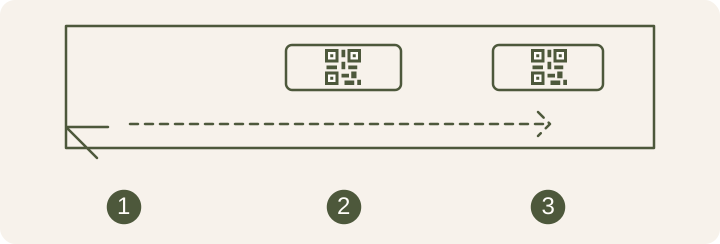
Walk through the shop as a customer would. At the door they may want to know when the shop closes. At the order point they look for the menu. At the register they need to find the payment code quickly. Put each sign where the task happens and name its destination beside the pattern.
Say what the code opens
Use “Scan for the menu” if the code opens a menu, or “Add us on LINE” if it opens the shop’s account. When two signs share a counter, give the payment code its own space away from the menu. Ask someone unfamiliar with the setup to choose a sign without prompting.
| Job title | Example destination | What to test |
|---|---|---|
| Storefront window | Menu or opening hours | Try in direct sunlight and with the lights on |
| Order counter | Menu or LINE Official Account | Customers can scan without blocking the queue |
| Checkout | Payment QR code | The recipient and amount match the purchase |
Scan from where customers stand
Once the signs are in place, open each destination on a phone signed out of the shop account. For a window sign, check it in sunlight and with the shop lights on. For a payment sign, check the recipient shown in the banking app and the amount before confirming. Check signs within easy reach for stickers covering the original code.
If customers stop in the walkway to scan, move the menu sign somewhere visible from the queue. After moving it, check that people can read its label from the same spot where they can scan. A code may scan perfectly and still go unused if customers have to reach across the counter.
Read how to check a PromptPay QR code before use
Keep the files and links for replacement signs
Name each file for its location, such as door menu or register payment. Keep the destination with the image file. When the menu or payment recipient changes, you can tell whether to update a page or reprint a sign, and where to retrieve the old signs.
Choose a QR code size for the sign