
Claude Duet: Availability, Background Tasks, and Approval
Customer emails are in one place, meetings in another, and follow-up tasks can slip while we are away. Claude Duet is designed to gather this information and alert users when work needs review or a decision. Before delegating, understand its data access, autonomous actions, and background quota usage.

What is Claude Duet, and is it available in Thailand?
Claude Duet is Anthropic's proactive AI assistant app that accepts tasks by message, monitors connected apps, and alerts users to results or decisions. Announced October 21, 2026 for workers and small-business owners tracking multiple matters, according to Launch announcement
At the time of review, Official Duet page and FAQ state that the research preview requires a waitlist and is limited to Pro and Max subscribers in the US, excluding Team and Enterprise. Separate iOS/Android apps and desktop web access are available. Thai users should not buy a plan expecting immediate Duet access; these documents confirm no Thailand launch date.
Joining the waitlist does not establish an access date. If your account becomes eligible, register through the Official product page using your Claude account email, then follow the invitation process.
How models, tools, and cloud computers work together
Cross-app delegation needs step selection, accessible sources, and tools to act. The Microsoft course diagram below distinguishes these basic elements before examining Duet-specific explanations.
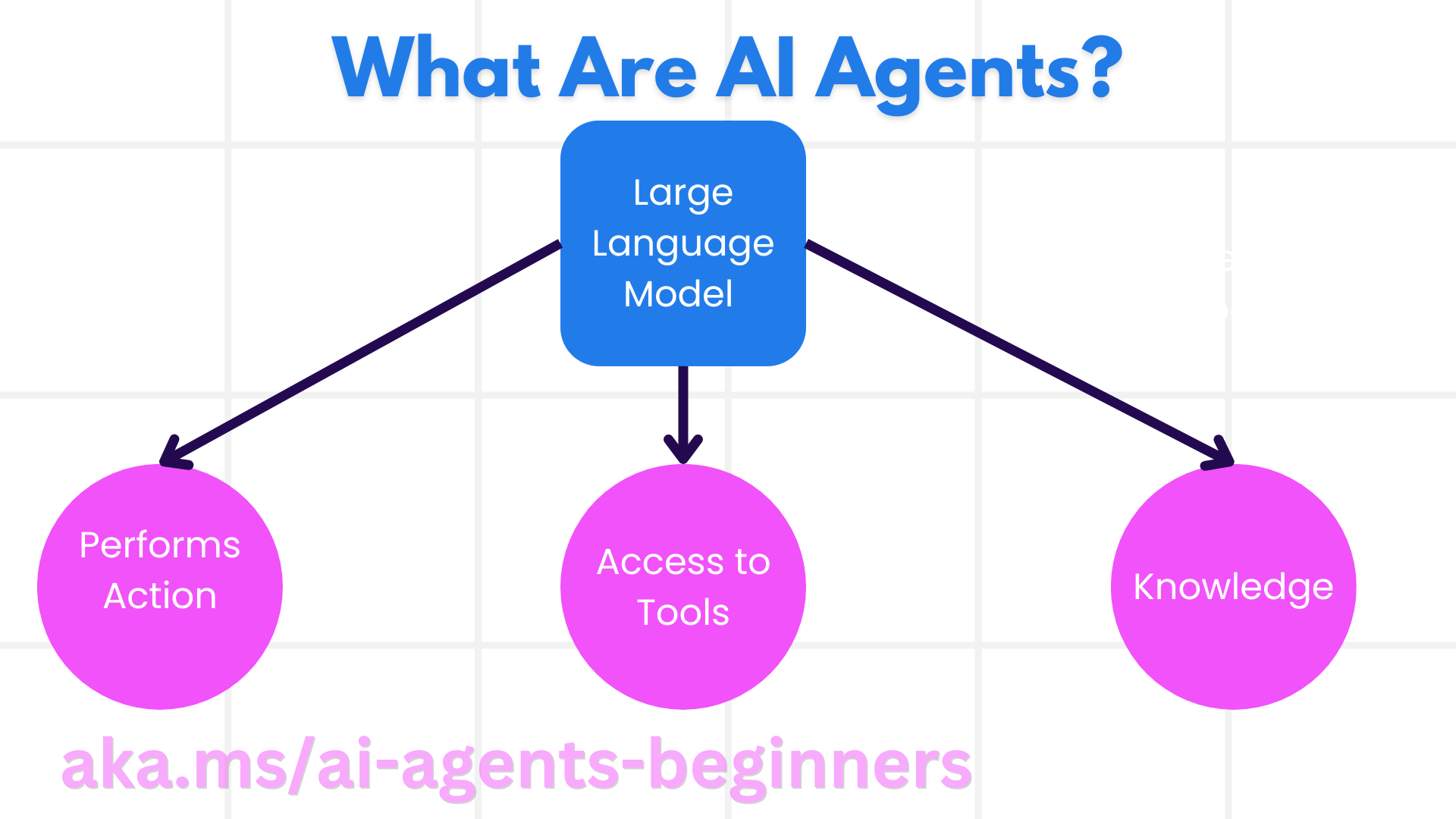
In the image, Large Language Model processes language, Access to Tools enables tool use, Knowledge supplies task information, and Performs Action represents execution. This explains how success requires language models, data-access rights, and suitable tools, according to Microsoft source lessons
For Duet specifically, Anthropic says it uses Opus 5.5 and has its own virtual machine and browser, allowing work to continue while your device is off. It sends a morning summary and checks connected accounts every few hours. Urgent items arriving between checks may remain unseen until the next check. Details come from The “How Claude Duet works” section
For a task requiring a response within minutes, its owner should also receive direct alerts because periodic checks may be too late. Daily reports or pre-meeting preparation allow more review and correction time. This is KrobClick's proposed task-selection criterion, not a measurement of Duet's speed.
A hypothetical small-business day: prepare meetings and follow up invoices
Suppose a design studio owner has client meetings and invoices to follow up on the same day. The table is an assignment plan readers can adapt when their accounts have access, not a KrobClick test log or assurance that every step succeeds.
| Work phase | What to ask the assistant to prepare | What the task owner checks |
|---|---|---|
| Before the day starts | Gather appointments and matters that are still waiting for answers. Only use data sources that the owner has given permission to access. | Do the date, time, time zone, and original link match the actual calendar? |
| Before the customer meeting | Summarize the latest agreement, separating confirmed points from unanswered questions | Does the summary reflect the latest messages, and does it misrepresent unaccepted proposals as agreements? |
| Track invoices | Compile invoices that should be reviewed and draft follow-up emails. | Do the document number, recipient, amount, currency, due date, and payment status match actual records? |
| Before sending email | Show the final draft and attachments for approval | Is the information of other customers mixed up? And after sending, does the assistant's report match the status in the email system? |
Preparing meeting information and drafting emails, following up on invoices, are among the types of work that appear in Example requests in the Duet beginner's guide The table adds our own acceptance criteria, such as separating proposals from agreements and checking payment status before reminders
Try one task with data you can already verify. Let the system draft, compare against reality, and adjust permitted sources or selection criteria if details are missing before adding tasks. This reveals your workflow's errors without contacting customers immediately.
Which tasks can Claude Duet do on its own, and which need approval?
Anthropic says Duet can read, draft, and prepare work independently, but shows planned actions and waits for approval before sending messages, paying, signing documents, or deleting data. Securities trading and transfers between accounts are examples of prohibited tasks even with user consent, according to Scope of decision in the announcement
Before approving, review the exact action. For email, check every recipient field and attachment; for purchases, check the seller, model, quantity, and total. Revise any details that differ from the agreement before approval. A reasonable explanation can still accompany incorrect recipients or order details.
For payments, distinguish Stripe connector a connector for working with Stripe account data, separately from Link used to purchase products according to Duet Link guide Users approve the amount in Link before payment. Trial use requires a US payment method, and recurring Link payments are not yet supported.
Even after approval, a merchant may reject a transaction. Check order confirmation and destination-system status. For Thai readers, this explains the product rather than providing payment activation steps already supporting Thai accounts.
Approval starts an action; it does not prove completion. For messages or purchases, inspect activity and the destination service before repeating the request. Resolve an unknown outcome first to avoid duplicate emails or orders. This is KrobClick’s review criterion, not a claim about Duet’s duplicate-prevention mechanisms.
How does background work use quotas?
Duet's FAQ states that background work uses the same quota as Claude. Larger tasks, such as financial models or slides, may need several processing rounds. Even though Duet is included in eligible plans during the preview, users still need to check usage limits.
Usage-limit documentation distinguishes usage quotas within each time window from conversation context capacity. Paid plans have five-hour session quotas and weekly quotas. Usage depends on task complexity and features, so a plan name alone cannot establish an exact number of tasks.
To assess value for your own work, record what you asked it to monitor, how many usable drafts it produced, what needed revision, and how your remaining quota changed while you also used Claude for other tasks. These figures can assess that batch of work, but they are not a fixed per-task cost: the data and difficulty of the next run may differ.
Before requesting more frequent checks, specify what you need to know sooner and why, such as preparing documents before an appointment. Define which events should trigger a notification. Limiting alerts to matters requiring a decision makes them easier to review in time and reduces messages that need no action.
Connect apps and manage memory within clear boundaries
Beginner's Guide states that Duet uses context from the Claude account and connected apps. Disconnecting an app stops further access but leaves memories already created from its information. The guide also says Microsoft 365 is not yet supported and some connectors have limitations. Check support for the specific functions you need.
To remove old information, check both history and saved memories, following Chat search and memory manual Deleting a conversation does not delete all memory entries created from that conversation. Users can check, edit, or delete memories from Settings > Memory. Readers who want to extract more ideas can look at What is the difference between Context, Memory, and chat history?
For client work, KrobClick suggests starting with necessary data such as appointment windows and meeting topics before granting access to contracts or financial information. For organizational or third-party data, check permission to use it with external services even if the system can connect and read it.
Another risk is hidden instructions in documents or messages the agent reads, which may try to induce data transmission beyond the allowed scope. Anthropic explains in Trustworthy agents in practice that protection requires multiple layers and still cannot be fully guaranteed. Limit tools and data to the task, and check recipients and attachments before approving.
Choose a first task and write verifiable instructions
Chat suits immediate questions or document help, while Duet tracks assigned matters and proactively reports progress, according to Explanation of differences from Claude on the product page If you are studying similar assistants, read OpenAI Dots article for more, but check each service's latest access rights and terms before choosing
For Duet during the trial The manual specifies limitations. that users still cannot view or take control of Duet's browser and should not expect Duet to access local files or all their projects. The first task should therefore use references the system can access and produce an easily reviewed draft, without sending it to others yet.
The following command example is a hypothetical template for an authorized account. The data source name and scope must be adjusted to match what is actually connected:
Help prepare information for meetings with website project clients. Use only emails in project subjects and calendar appointments that I allow. Summary of latest agreement with link to original text. Separate unconfirmed questions into questions. Make a draft for inspection. Do not send messages, change appointments, delete information, or purchase any services. If you encounter a conflicting appointment date or price Report any conflicts before proceeding to the next step.
After receiving a draft, check original sources for appointment dates, scope, and outstanding issues before having the system monitor multiple projects. If the same issues repeatedly need correction, give clearer rules, such as treating only customer-confirmed emails as agreements and keeping quotations as supporting information.
Thai users without access can prepare task lists, permitted data sources, and acceptance criteria in advance. When access is announced for their region, review the new terms and start with one narrowly scoped task, using Evidence for accepting AI agent deliverables as the criteria for evaluating actual work
Official sources and image credits
- Anthropic: Introducing Claude Duet (21 October 2026)
- Claude Duet: Product overview and FAQ
- Claude Help Center: Get started with Claude Duet
- Claude Help Center: How to use Link by Stripe with Claude Duet
- Claude Help Center: Usage and length limits
- Claude Help Center: Chat search and memory
- Anthropic: Trustworthy agents in practice
- Microsoft: Introduction to AI Agents (introductory agent diagram, MIT License)
Documentation reviewed on October 22, 2026. Features and access may change during the research preview. This article explains the developer documentation; it is not based on KrobClick testing Duet. Business examples are hypothetical and are not personalized financial advice.