
OpenClaw: Gateway, Memory, Tools, and Sandbox Boundaries
An AI agent that works on our behalf needs more than a language model: it must receive messages across channels, remember context, call tools, manage credentials, and decide where code runs. OpenClaw addresses these needs with a user-controlled, Gateway-centric architecture. This article covers its architecture, trust boundaries, and key security trade-offs.
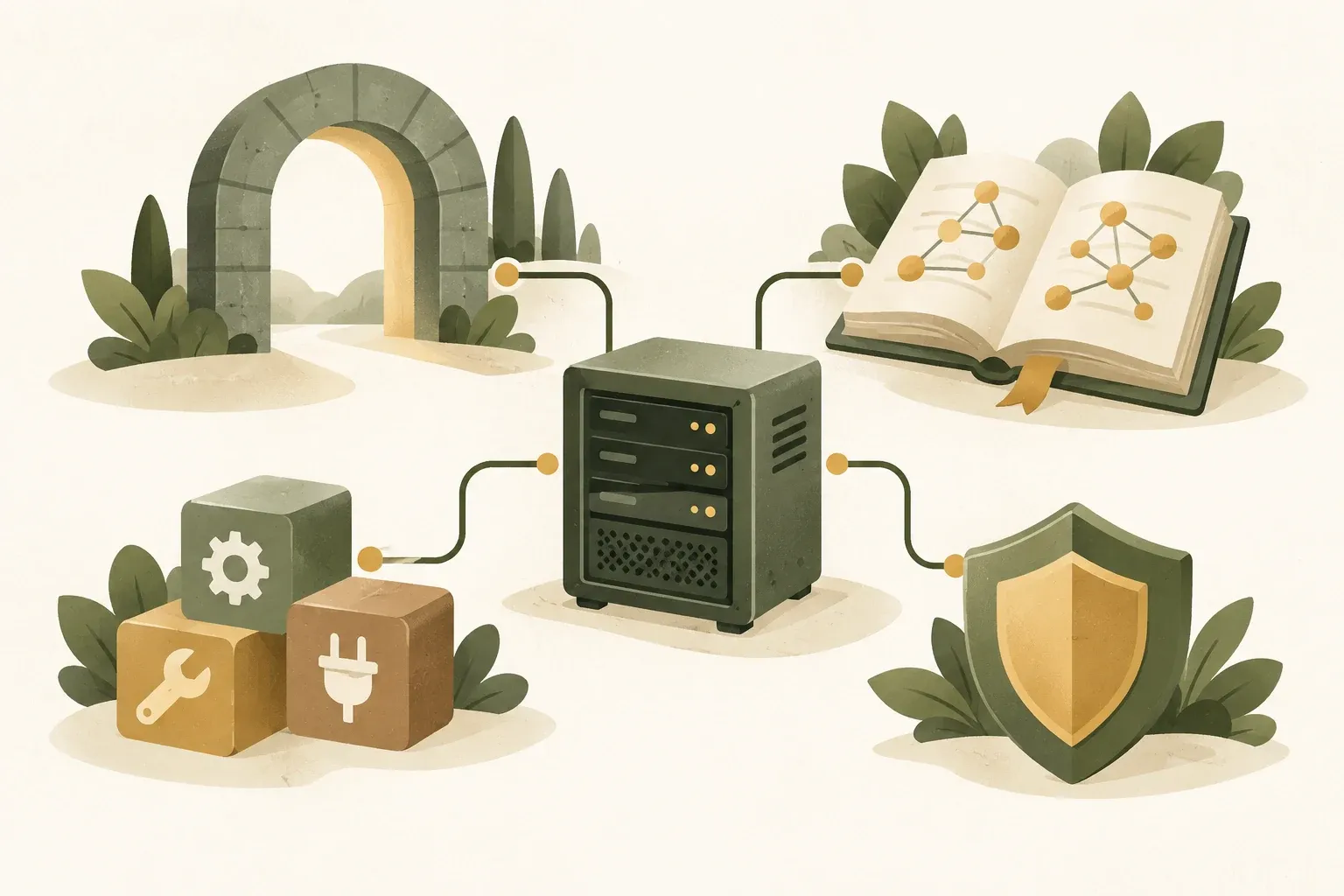
What OpenClaw manages around the model
OpenClaw is an open-source project for running AI assistants or agents on user-controlled hardware and infrastructure. Its focus is orchestration rather than creating a new language model, connecting Channel for receiving orders, session and memory, model provider, tools, plugins, credentials and execution environment to work as one system
OpenClaw receives messages from Telegram, Slack, Discord, WhatsApp, iMessage, or its own UI and routes them to an appropriate agent. It then calls models and tools, stores task state, and returns results through the original channel. The LLM provides reasoning and generates responses within that process.
Unlike ordinary AI chat apps, OpenClaw lets users control agent runtime and state. The project says state, memory, and credentials reside on user hardware, while prompts go to chosen model providers and chat platforms. This does not mean no data leaves the device: cloud models and external chats still receive necessary data under the configuration.
Created by Peter Steinberger and the community, the project is now maintained under the OpenClaw Foundation and MIT-licensed. It suits people wanting to study or adapt an agent stack more deeply than a ready-made SaaS product allows.
Mental model: Split OpenClaw into 6 layers.
Understanding OpenClaw will be easier if the system is separated into six layers. Many words in a document have different functions and should not be used interchangeably.
- 1. Channels and clients: Where the user talks to the system, such as a chat app, Web UI, CLI, or native app.
- 2. Gateway: A continuous daemon is the main control plane for connections, routing, sessions, authentication, and event streams.
- 3. Agent runtime: A loop that prepares context, calls the model, receives tool calls, repeats until a result is obtained, and manages agent state
- 4. Models and providers: LLM that is used to conceive and create outputs where you can change the provider or change the model without having to change the entire architecture.
- 5. Capabilities: tools, skills, and plugins that increase what an agent “can do” or “knows how to do”
- 6. Execution and trust controls: sandbox, exec approvals, tool policy, secrets, and node permissions that determine how much the agent can touch the real system
Separating layers helps locate faults. An incorrect model choice differs from a tool running on the host without a sandbox, or a channel accepting strangers’ messages.
The Gateway is the architectural core
OpenClaw has a long-running Gateway daemon owning connected messaging surfaces. Its architecture documentation describes control clients such as CLI, Web UI, and native apps connecting through WebSocket. Device nodes also use WebSocket but declare their role as node and declare their own capabilities
Gateway defaults to binding loopback at 127.0.0.1:18789 This reflects the important idea that the control plane should not be unnecessarily exposed to a wide network. If you need to enter remotely The document recommends using private networking such as VPN/Tailscale or an SSH tunnel rather than opening the port directly to the public.
Within the connection protocol are request/response and server-pushed events such as agent state, chat, presence, health, heartbeat, and cron, allowing multiple UIs or clients to see the same state without having to create separate agent runtimes per client.
Modern agents do more than receive prompts and return text: they handle streaming, background work, tool execution, approvals, device events, and multisession state. A central Gateway gives these components clear places in the architecture.
One instruction's path: from text to side effect
Suppose a user sends, “Summarize the latest email and create a to-do list.” The conceptual workflow would roughly follow this sequence.
- Inbound message: channel receives the message and sends it to Gateway with sender information, chat room, and required metadata.
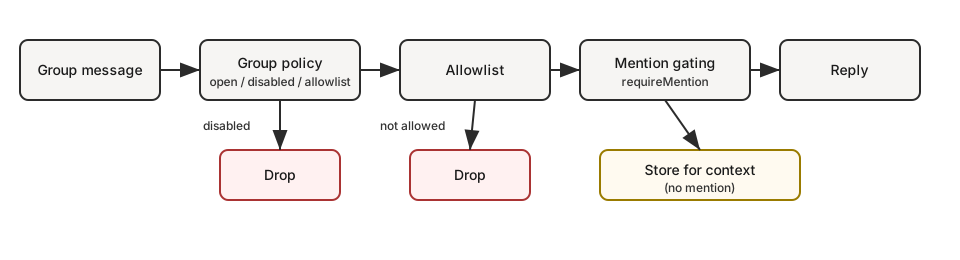
- Access policy: Gateway checks DM policy, pairing, allowlist, sender ownership, and channel limitations.
- Session routing: The system selects the session or agent that this message should enter and retrieves the relevant state.
- Context assembly: The agent runtime includes system instructions, workspace context, memory, transcript and allowed tool descriptions.
- Model inference: The prompt is sent to the specified provider/model such as OpenAI, Anthropic, Gemini or local model.
- Tool call: When a model requests a tool, the runtime checks policy before executing actions such as reading files, calling APIs, or running commands
- Execution boundary: The action may run on the Gateway host, node, or sandbox depending on the configuration.
- Result loop: The tool result is sent back to the model for further thought until the final response is obtained.
- Delivery: The results are returned through the original channel and the required state is recorded. session/memory
The runtime interprets tool calls and permits or denies actions under policy. Security therefore depends on the model and the surrounding orchestration code.
Model provider separate from agent runtime: change the "brain" without dismantling the system
OpenClaw references models using the format provider/model and supports many providers, including cloud APIs, subscription-style integrations, and local runtimes. Model selection becomes configuration instead of one provider embedded in the core.
This distinction is important in the agent world because “model” and “agent harness” are not the same thing. A model is an inference endpoint, while a harness is a runtime that manages threads, compaction, tool events, or specific agent behaviors. OpenClaw supports plugins for model providers, and there is also an agent harness plugin for cases where an external runtime needs to own the agent circuitry.
Administrators can select models by task—one for coding, another for general work—and set agent-specific fallbacks or policies without replacing all channels, memory, or the Gateway.
“Multiple provider support” does not mean all providers behave identically. Token limits, reasoning modes, caching, tool protocols, rate limits, and billing still differ. Test actual behavior when switching models, especially in workflows heavily dependent on tool calling.
What are the differences between Tools, Skills and Plugins?
These three terms are central to OpenClaw and are often confused
- Tool: Actions that an agent can call, such as reading files, searching the web, executing commands, or sending messages. Tools are the agent's "hands."
- Skill: Instructions or workflows teach agents how to use tools, such as deployment procedures, review rubrics, or recurring-task playbooks. Skills resemble operating manuals rather than executable capabilities.
- Plugin: Packages that add new runtime capability can add tools, skills, channels, providers, hooks, speech, media, web search or other capabilities. Plugins are the broadest extension mechanism.
A simple rule: if an agent has tools but lacks a reliable workflow, add a Skill. If the system lacks the capability entirely, such as a new provider or channel, use a Plugin.
The strength of the plugin-oriented architecture is that the core does not have to expand indefinitely. The trade-off is increased supply-chain risk because native plugins run as real code. OpenClaw's documentation clearly states that native plugins are not automatically sandboxed and that you should use allowlists, pin versions, and check package origins before installing them.
Sessions and Memory: How to make the agent remember it without stuffing everything into the context window
LLM has a limited context window, so users' entire transcripts cannot be returned to the model every turn. OpenClaw separates "session history" from "memory" and has compaction to keep active contexts in a manageable size.
Main-session history can span days without a default daily reset. Compaction reduces context size, while daily memory notes retain useful information. When /new or /reset The system can retrieve relevant memory to prime a new session
The key idea is history is not equal to memory and memory index is not equal to canonical state Newer OpenClaw documentation distinguishes rebuildable indexes from sessions/transcripts that must be preserved. Do not randomly delete the main database to fix memory search: it may also hold other durable agent state.
For systems with multiple agents or sessions, session-state awareness also tells one session that its understanding of another session's state may be outdated. This seemingly small detail matters when agents collaborate or a human intervenes in a workflow.
Nodes enable OpenClaw to expand from “chat” to device agent.
A node is a companion device that connects to the Gateway and declares its own command surface. Examples of capabilities documented include camera, device, notifications, system, and on some platforms screen or computer-control capability.
The architectural point of view is that the Gateway does not need to run on a device that has all the hardware capabilities. The server itself can be the brain. while your phone or Mac acts as a node that Gateway launches with permission.
Nodes immediately increase risk: an agent that reads chat and one that controls devices have very different blast radii. Device pairing, node policy, and exec approvals are important security boundaries, not setup steps to click through casually.
Security model that you need to understand first: One Gateway is one trust domain.
The most important aspect of OpenClaw is not the number of plugins or models, but trust model Security documentation says a Gateway is designed for one trusted-operator boundary, not a hostile multitenant boundary for mutually untrusted groups
The practical meaning is If multiple people can send messages to the same agent and that agent has access to powerful tools, they are sharing the same agent's delegated authority. Even if the system has sender-scoped controls or session routing, this should not be interpreted as tenant-level isolation.
For mutually untrusted users or organizations, separate Gateways and credentials, and preferably OS users or hosts. This is a stronger boundary than many ACLs in one Gateway.
Prompt injection is still a problem even if the authentication is correct.
Agent systems have risks that traditional chatbots don't: Messages that the model reads may try to influence it to misuse the tool. Such as text in emails, documents, web pages, or forwarded messages. This problem is called prompt injection.
Authentication answers “Who can call the Gateway?” but not “Can every piece of context be trusted?” OpenClaw documentation warns that requester-scoped controls do not sanitize quoted text, shared-room history, fetched content, attachments, or tool results entering a prompt.
Use defense in depth: restrict channels reaching agents, limit tools, sandbox where appropriate, require approval for host commands, and separate trust domains for differently trusted users. System prompts alone do not sufficiently prevent prompt injection when agents can make real changes.
Sandbox: Reduced blast radius, but not automatically enabled for everything.
OpenClaw supports sandbox backends that move some tool execution off the main host, but its documentation explicitly says sandboxing Off by default and the Gateway process remains on the host even with sandboxing enabled
The benefit of the sandbox is that it limits filesystem, process, and network access to the tasks the model executes if the agent does something unintended. Damage is limited in a narrower environment, but a sandbox is not a perfect security boundary. And it doesn't solve every type of problem, such as plugins running in-process or credentials that the operator places in a location that the agent can read.
Another layer is exec approvals It uses policy + allowlist + user approval to control the commands that will run on the real host. This concept is suitable for workflows that need to occasionally touch the host because we can let the agent run automatically in the sandbox but require human approval when crossing the boundary to the real machine.
Secrets: How to store credentials without them becoming prompt content
A classic agent mistake is putting an API key in a configuration file or environment accessible to tools and hoping the model will leave it alone. OpenClaw therefore provides SecretRef to reference credentials from env, file, exec providers, or a shared store without embedding plaintext values throughout the configuration.
The documentation also describes protected secrets and egress-time substitution, aiming to let agents authenticate to designated destinations without seeing secret values directly. However, SecretRef does not automatically prevent a compromised host or host-exec agent from reading files. Filesystem restrictions remain the responsibility of the sandbox and OS permissions.
Here are some general lessons that apply to all agent platforms: Secret management and execution isolation are different problems. Just one solution is not enough.
How to audit OpenClaw’s security settings
Use this command to audit OpenClaw’s settings, including inbound messages, network exposure, tool and file permissions, plugin policy, sandbox settings, and command approvals.
openclaw security auditInterestingly, many problems arise not from bugs but from configuration drift such as configuring a Docker sandbox while sandbox mode remains off, enabling powerful tools in a chat anyone can message, or exposing a Gateway to the network without appropriate authentication
Default settings may favor convenience for a personal agent on a personal computer. Moving to a server, enabling remote access, connecting multiple channels, or receiving others' messages immediately changes the threat model. Audit again whenever you add a new surface.
Before relying on a security audit to establish boundaries, inspect effective configuration with openclaw sandbox explain and existing environments with openclaw sandbox list, as documented in Sandboxing. Check the actual agent and session. An existing container does not mean every command runs inside it; elevated and node paths need separate permission review.
Deployment patterns: which approach suits whom?
The same architecture can be deployed in several ways, with very different risk profiles
- Personal laptop: Suits experiments and single users; easy to configure and close to personal data, but the agent may access many files and accounts on the same device
- Dedicated mini-PC or home server: Separates agents from the primary work machine, reducing blast radius and better suiting an always-on Gateway, but you must manage patching, backups, and remote access
- VPS/Cloud VM: Suited to an always-online Gateway, but data and credentials reside on infrastructure outside the home. Disk encryption, network policy, and secret custody need careful management.
- Team deployment: Suitable for members within one trust boundary needing shared sessions or collaborative workflows. Teams that must not see each other's data should use separate Gateway cells.
OpenClaw makes agent infrastructure more visible and controllable. Administrators still need to understand and maintain those components.
Performance and stability: A good agent must handle long conversations without breaking
As of 2 October 2026 OpenClaw documentation shows release v2026.9.7 which has improved responsiveness of long chats, update/rollback protection, memory use, model picker and workflow after restart, including added support for OpenAI Agents API and Sign in with ChatGPT in Beta
These details reflect a real problem with agent platforms: with longer sessions, more background work, and more tool events, the bottleneck isn't just inference, but database I/O, transcript rendering, compaction, queuing, plugin lifecycle, and state recovery after process restart.
Therefore, evaluating an agent framework should not only be a benchmark of the model, but should also look at operational characteristics such as recovery, observability, migrations, release processes, and the ability to diagnose the system when state mismatches occur.
What OpenClaw does well and the trade-offs involved
- Deep stack control: Users can choose their own model, provider, runtime, channel, and execution policy. Suitable for people who don't want to be locked into a single vendor.
- Channel-native: The agent is in the channel that people are already using. Instead of forcing everyone to open a new app
- Extensible: Clearly separates tools, skills, and plugins, allowing specialized workflows without repeatedly changing the core
- Stateful: Has sessions, memory, compaction, and a shared control plane for longer-running work beyond a simple request-response API
- Security controls have several layers: pairing, allowlists, tool policy, sandbox, approvals, SecretRefs and audit help administrators put defenses in depth.
- In exchange for operational complexity: The more capabilities you enable, the more admins need to understand networking, credentials, OS permissions, plugin trust, and model behavior.
- Not a hostile multitenant platform: To isolate mutually untrusted users, design separation at the Gateway/host level rather than relying on session IDs
- self-hosted is not equal to offline: If using a cloud model or chat platform, related data also leaves the device along a predetermined path.
Checklist before putting OpenClaw into practice
Hypothetical example: Two groups of people who are not supposed to read each other's files need to use Assistant. Don't start by creating two sessions and assume they have separate permissions. List the Gateway, OS users, credentials, and folders that each group has access to. Then use a test file that doesn't contain any actual data to check that one group can't read another group's files. Including checking tools running on the host. If there are still credentials or shared host rights, that point must be recorded as an undivided scope. Do not use the results of two chat rooms giving different answers as evidence instead of checking permissions.
Viewing OpenClaw as infrastructure rather than an app raises these questions before production use
- Trust boundary: Who can message this Gateway, and do they trust one another?
- Tool inventory: What tools does the agent actually need to use, and which tools should be denied by default?
- Execution host: Will the command run on the host, node or sandbox and what approval steps are there?
- Secrets: Which credentials are stored in plaintext and can they be moved to the SecretRef or protected store?
- Network exposure: Is the Gateway bound to loopback, a private network, or the public internet, and is authentication or tunneling appropriate?
- Plugin trust: Are all plugins from trusted sources? Are they pinned and checked for dependencies?
- Memory policy: What should the system remember across sessions and what data should not be automatically brought back into context?
- Backup/recovery: If an update breaks or the database breaks, is there a tested snapshot and recovery method?
- Audit: Is a security audit run after configuration changes or new channels?
Summary: OpenClaw's value lies in making the agent stack visible and controllable
OpenClaw combines Gateway routing, sessions, memory, model abstraction, extensions, and execution controls in one architecture. Assistant capabilities also depend on how those parts work together.
For developers and teams building real agents, switching providers, adding plugins, connecting multiple channels, and separating sandbox from host execution offer significant benefits. They also require serious work on trust boundaries, secret management, and operational security.
OpenClaw provides components for a user-controlled agent system. Safety, privacy, and reliability depend on its configuration, model, plugins, channels, and infrastructure. Evaluate the assembled system before actual use.
Sources
- OpenClaw Foundation: OpenClaw GitHub repository
- OpenClaw Docs: Why OpenClaw
- OpenClaw Docs: Gateway architecture
- OpenClaw Docs: Capabilities overview
- OpenClaw Docs: Plugins
- OpenClaw Docs: Model providers
- OpenClaw Docs: The main session
- OpenClaw Docs: Memory overview
- OpenClaw Docs: Security
- OpenClaw Docs: Sandboxing
- OpenClaw Docs: Secrets management
- OpenClaw Docs: Nodes
- OpenClaw Docs: v2026.9.7 release notes
OpenClaw documentation and releases reviewed October 2, 2026. Features, defaults, commands, and architecture may vary by version. Check documentation for your installed version before configuring critical systems.