
Hermes on Discord: Bot Setup, Permissions, and Sessions
Hermes Agent supports Discord DMs and server channels. An online bot does not establish that permissions or context are configured as intended. This article covers the Discord Developer Portal, Hermes Gateway, mentions, allowlists, threads, and session separation, including their privacy and cost implications.
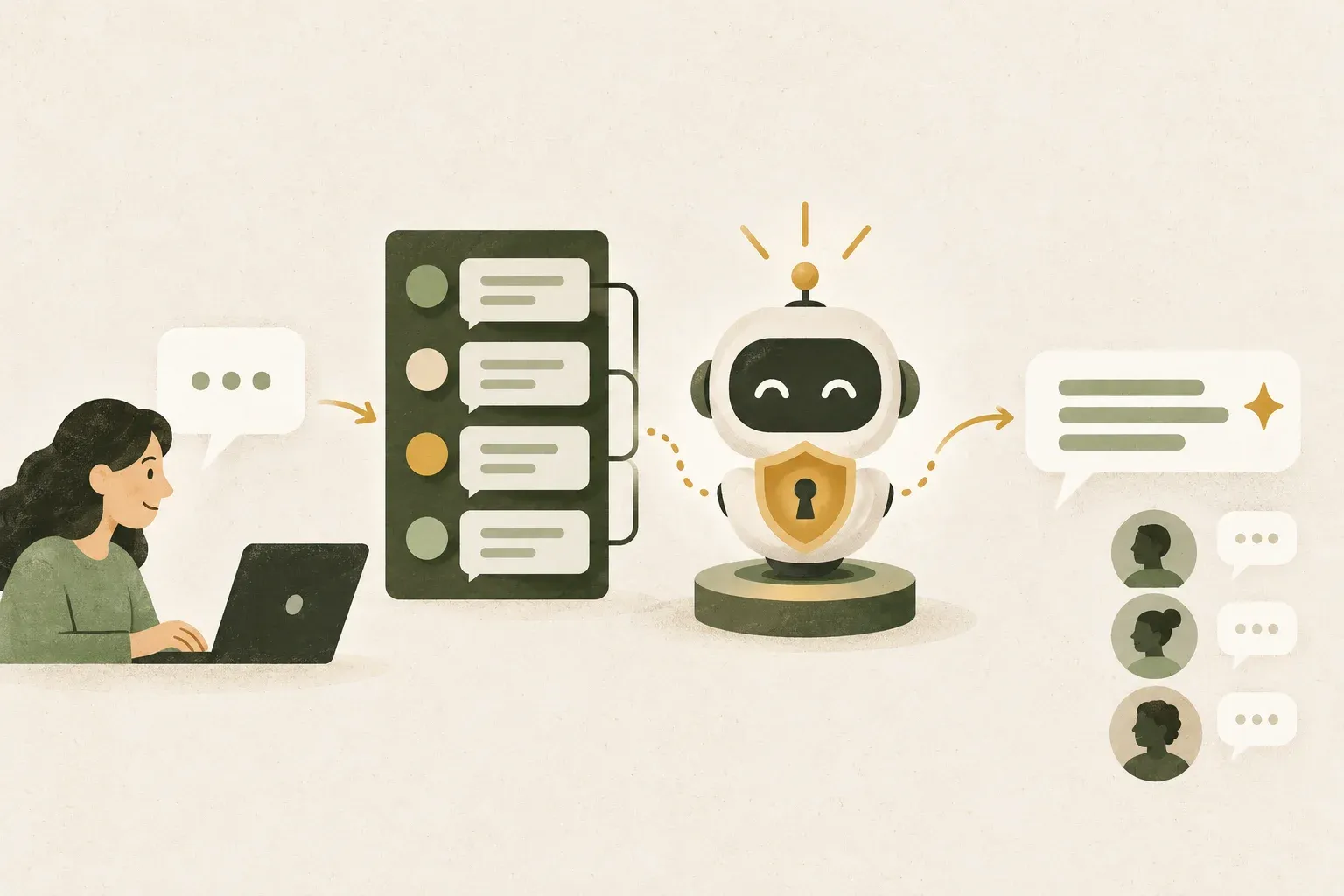
Discord carries messages while Hermes Gateway runs the agent’s work
Hermes' Discord connection is not a webhook that receives messages and responds statelessly. Incoming messages go through user authentication and mentions, search for sessions, load history, and then enter a normal agent loop that may trigger tools, memory, and skills before sending responses back to Discord.
ผู้ใช้ใน Discord
→ Discord Gateway event
→ Hermes Messaging Gateway
→ ตรวจ allowlist / channel / mention
→ โหลด session และบริบท
→ Agent เรียกโมเดลและ tools ตามสิทธิ์
→ ส่งคำตอบกลับ DM, channel หรือ thread
Discord is therefore only the conversation interface. The machine running hermes gateway must remain online and have access to the provider. If Gateway stops, the bot may appear offline or miss events, and dependent cron jobs may not run as expected.
Create a Discord Application and enable only the intents Hermes needs
Start in the Discord Developer Portal, choose New Application, name it, and open Bot to obtain the app's bot user. Then enable Message Content Intent because Hermes must read messages to pass them into the agent pipeline. Hermes documentation recommends Server Members Intent for resolving usernames and requires it for username or role allowlists. Presence Intent is unnecessary for ordinary conversations.
- Create an Application and open the Bot page
- Create or reset the token, then copy it for one-time use in the setup wizard
- Enable Message Content Intent
- Enable Server Members Intent when using a username or role allowlist
- Press Save Changes before leaving the page.
A bot token authenticates the bot. Do not post it in a channel or send it to Hermes for analysis. If it leaks, reset it in Developer Portal and update the local configuration immediately. Deleting the exposed message while continuing to use the same token is insufficient.
When inviting the bot to a server, grant only the permissions its tasks require. Hermes documentation lists View Channels, Send Messages, Embed Links, Attach Files, and Read Message History as the core permissions. Add Create Public Threads and Send Messages in Threads if you use threads. Connect/Speak are needed only when actually using voice channels. The person inviting the bot must have Manage Server permission.
Use Gateway setup to configure tokens and allowlists rather than admitting everyone
Before connecting to Discord, Hermes should be able to chat from the CLI with the provider at least once, then run:
hermes gateway setupSelect Discord and paste the bot token into the wizard prompt. The current wizard validates it with Discord, warns if Message Content Intent is disabled, creates an invite link, and offers to add the bot owner to the allowlist without manually copying a User ID in the normal flow.
If you need to set it yourself, the secret and allowlist values are in ~/.hermes/.env:
DISCORD_BOT_TOKEN=ใส่-token-จริงในไฟล์บนเครื่องเท่านั้น
DISCORD_ALLOWED_USERS=ใส่-Discord-user-id-ที่อนุญาต
The example above uses placeholders. Do not use the Thai placeholder text as a real token, and do not commit .env After setup, test in the foreground first:
hermes gateway runOnce the bot is online and replies to DMs or mentions, install the background service:
hermes gateway install
hermes gateway status
DMs, channels, and threads use different response rules and context.
| Area | Default | Context effect |
|---|---|---|
| DM | Answer every message, no @mention required. | Each DM has its own session |
| Server channel | Reply when the bot is @mentioned | Default separates sessions by user within the channel. |
| Free-response channel | Can reply without mentions in configured channels | Replies inline by default; use it only in rooms intended for conversations with the bot |
| Thread | Reply in the same thread under the configured mention rules | History is separate from the parent channel. Check require_mention and thread_require_mention for the actual software version. |
For personal use, start with DMs to reduce noise and control access more easily. In a server, keep require_mention to prevent the bot entering every conversation. For a dedicated help room, add only that Channel ID to free-response channels rather than disabling mentions server-wide.
Current Discord documentation gives thread_require_mention a default of false: after a bot participates in a thread, it can answer later messages without another mention. Setting it to true also requires mentions in threads. Read this separately from the parent channel’s require_mention setting. With multiple bots, set thread_require_mention: true and test mentioned and unmentioned messages before use.
With multiple bots in the same thread, set discord.thread_require_mention: true as the documentation recommends, to prevent every bot replying to the same thread message and creating spam or unintended model calls.
Allowlist answers who can call, while Session determines who can see the shared context.
Hermes currently fails closed for Discord when there is no DISCORD_ALLOWED_USERS, role, channel scope, or an explicit allow-all setting, the Gateway may connect successfully but reject incoming messages. This is safer than unintentionally allowing everyone to contact the bot.
- Use User IDs where possible: Does not change with the display name and does not require name resolution
- Use roles when team membership changes frequently: Those who receive the role will have rights according to the policy, but must open the Server Members Intent according to the conditions.
- Do not enable allow-all to fix a nonresponsive bot: Check the log and allowlist first because this kind of change immediately expands the user scope.
- Restrict commands separately from chat: The documentation supports an admin list and commands available to ordinary users, allowing conversations without granting everyone every slash command
Value group_sessions_per_user: true is the default, keeping Alice's and Bob's histories separate even when they speak to Hermes in the same channel. Changing it to false means everyone in the room shares the transcript, context growth, token cost, and running-agent slot. One person’s message may add context to or interrupt another person’s work. Use shared sessions only in collaborative rooms where members accept that scope.
When the bot is online but silent, check access permissions first
- Bot offline: Verify that the Gateway is running and that Message Content Intents are turned on. If Discord denies privileged intents, the connector will not be ready to receive messages.
- Bot online but silent: Check allowlist, role or channel policy in
~/.hermes/logs/gateway.logbecause missing access policies deny messages by default - Replies to DMs but not channels: @mention Bot directly, check View Channels/Send Messages permissions and see if the channel is in the ignored list or not.
- Replies the first time but goes silent later: Check the Gateway WebSocket status and log. Do not use the REST check results alone to determine whether the event stream is still working.
- Several people's contexts are mixed: check
group_sessions_per_userand consider separate threads for separate tasks - Multiple bots reply simultaneously: Open
thread_require_mentionand identify the desired bot with an @mention
After changing settings, restart and check status using Hermes commands rather than starting another process:
hermes gateway restart
hermes gateway status
hermes logs -f
Start with DMs or one dedicated channel, a User ID allowlist, required mentions in servers, per-user sessions, and only necessary tool permissions. Once it works and logs are understood, consider free-response channels, shared sessions, voice, or more bots. This keeps Discord convenient without exposing an overprivileged agent.
Sources
- Nous Research: Hermes Agent Discord Setup
- Nous Research: Messaging Gateway
- Nous Research: Hermes Agent Quickstart
- Discord Developer Support: What are Privileged Intents?
- Discord Developer Documentation: OAuth2 and Bot Users
- NousResearch/hermes-agent
Hermes and Discord documentation reviewed October 11, 2026. Developer Portal UI, privileged intents, defaults, and Gateway commands may change. Never publish bot tokens, API keys, or .env files in screenshots, repositories, or chat.