
Crafting Apps: Explore Seven ArtCraft Creative Tools
ArtCraft’s Crafting Apps covers several kinds of creative work, but app roles and readiness differ. This guide examines developer screenshots of seven selected programs and proposes testing copies of your files before changing tools.
Crafting Apps has 13 programs; this guide explores the first seven
As checked October 29, 2026, ArtCraft lists 13 Crafting Apps. This guide covers the first seven: PhotoCraft, VectorCraft, FilmCraft, LightCraft, PdfCraft, EffectCraft, and DesignCraft. FigCraft, WordCraft, SoundCraft, DeckCraft, CADCraft, and GridCraft are also in the suite; this page does not provide individual guides to those six.
Crafting Apps is ArtCraft's open-source suite for raster images, vectors, video, photography, PDF, motion graphics, and publishing layouts. Its developers say it is written in Rust for local operation. It comprises separate apps with distinct roles, not one all-in-one screen.
Of the seven programs selected here, the project labels PhotoCraft and PdfCraft early alpha and the other five in development, despite downloadable installers. Test legacy files, exports, and required team workflows in the actual release before migrating. See current Crafting Apps status
Start with a small, verifiable task: open an image, edit its text, and export it. Check whether the app fits that task before considering a full project migration. This article uses developer information and images; KrobClick has not run benchmarks or tested file compatibility.
Choose the program based on the desired output
Grouping by task helps distinguish similar programs, especially PhotoCraft/LightCraft and FilmCraft/EffectCraft. This is KrobClick's framework for choosing trials, not assurance that every feature is production-ready.
| Program | Main work | The first job worth trying | Project page status |
|---|---|---|---|
| PhotoCraft | Edit images and assemble work with layers | Adjust the color of the image and add a piece of text. | Early alpha |
| VectorCraft | Draw and edit vector graphics | Draw icons using lines and shapes | In development |
| FilmCraft | Editing images and sound on timeline | Join short clips and export one file. | In development |
| LightCraft | Organize your photo library and adjust RAW photos. | Adjust the exposure of the photo copied from the actual camera. | In development |
| PdfCraft | Read and manage PDF documents | Reorder, split, and merge PDF copies | Early alpha |
| EffectCraft | Create motion graphics and effects | Animate text with keyframes | In development |
| DesignCraft | Lay out print publications and multipage documents | Create a two-page document with continuous text | In development |
Status of the seven selected programs as checked October 29, 2026. Read the chosen program’s release notes before downloading: product pages, demos, and main-branch code may differ from the installable release.
PhotoCraft: Start with photo work that requires layers.
PhotoCraft focuses on layered image editing: text overlays, masks, color adjustments, and compositing. Its project page lists PSD/PSB reading and saving, adjustment layers, and drawing tools. Explore it when individual layers need later revision. PhotoCraft details
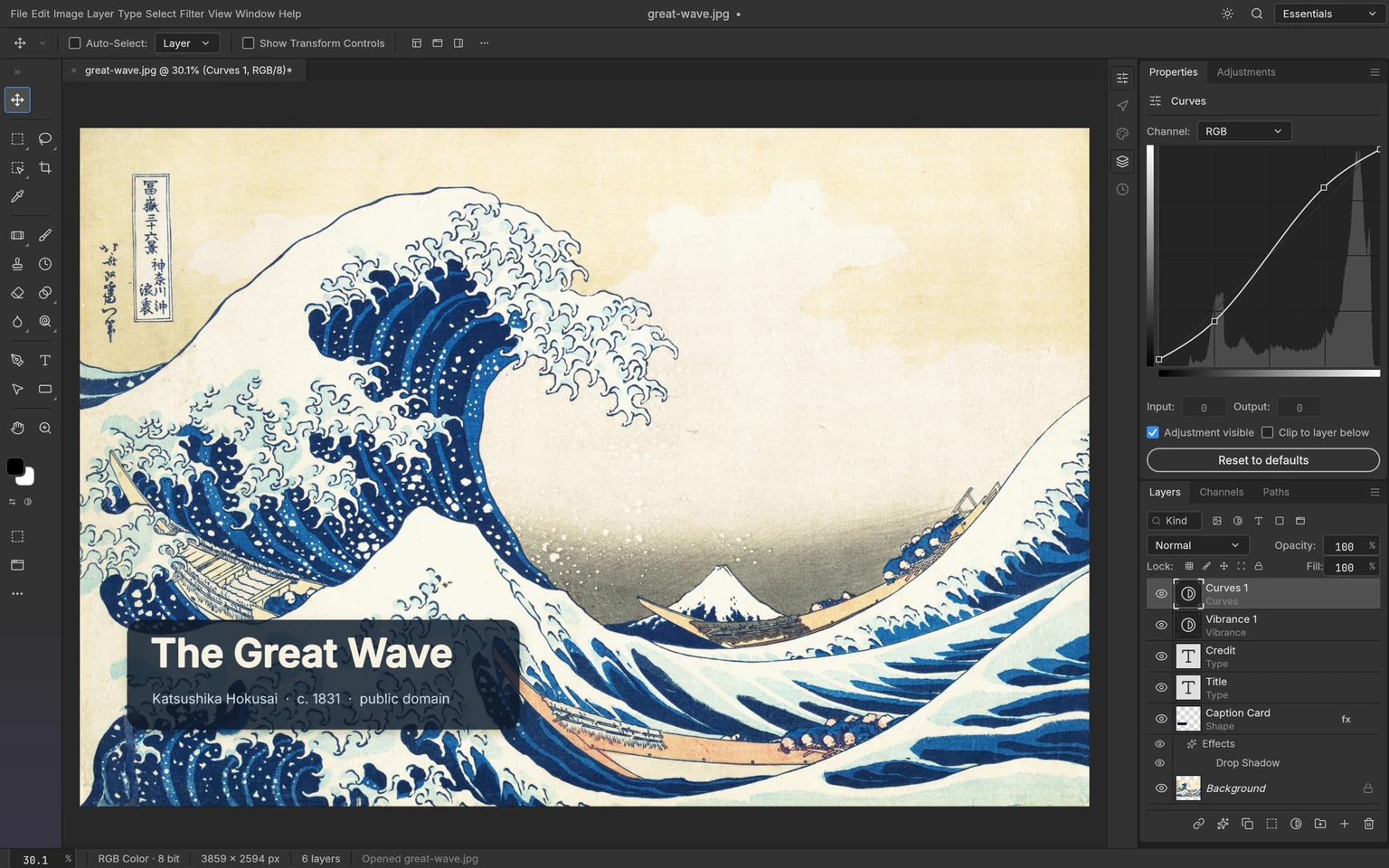
Read this image right to left: layers divide work into separately editable pieces, while Curves controls light and dark tones without editing every pixel manually. For covers or social illustrations, test independent text and color editing before detailed effects.
KrobClick's proposal is to experiment with PSD copies with Thai text, masks, and effects that you actually use. Then open the saved file back in the original program. Compare fonts, line wrapping, and layer grouping. Supporting a file extension does not mean that all features in the file will be reversible.
VectorCraft: editable lines and shapes
VectorCraft is used for works made from lines and shapes, such as icons, diagrams, and vector graphics. The project page specifies the Pen tool, Direct Selection, shape booleans, and appearance effects, as well as SVG/PDF import and export. VectorCraft details
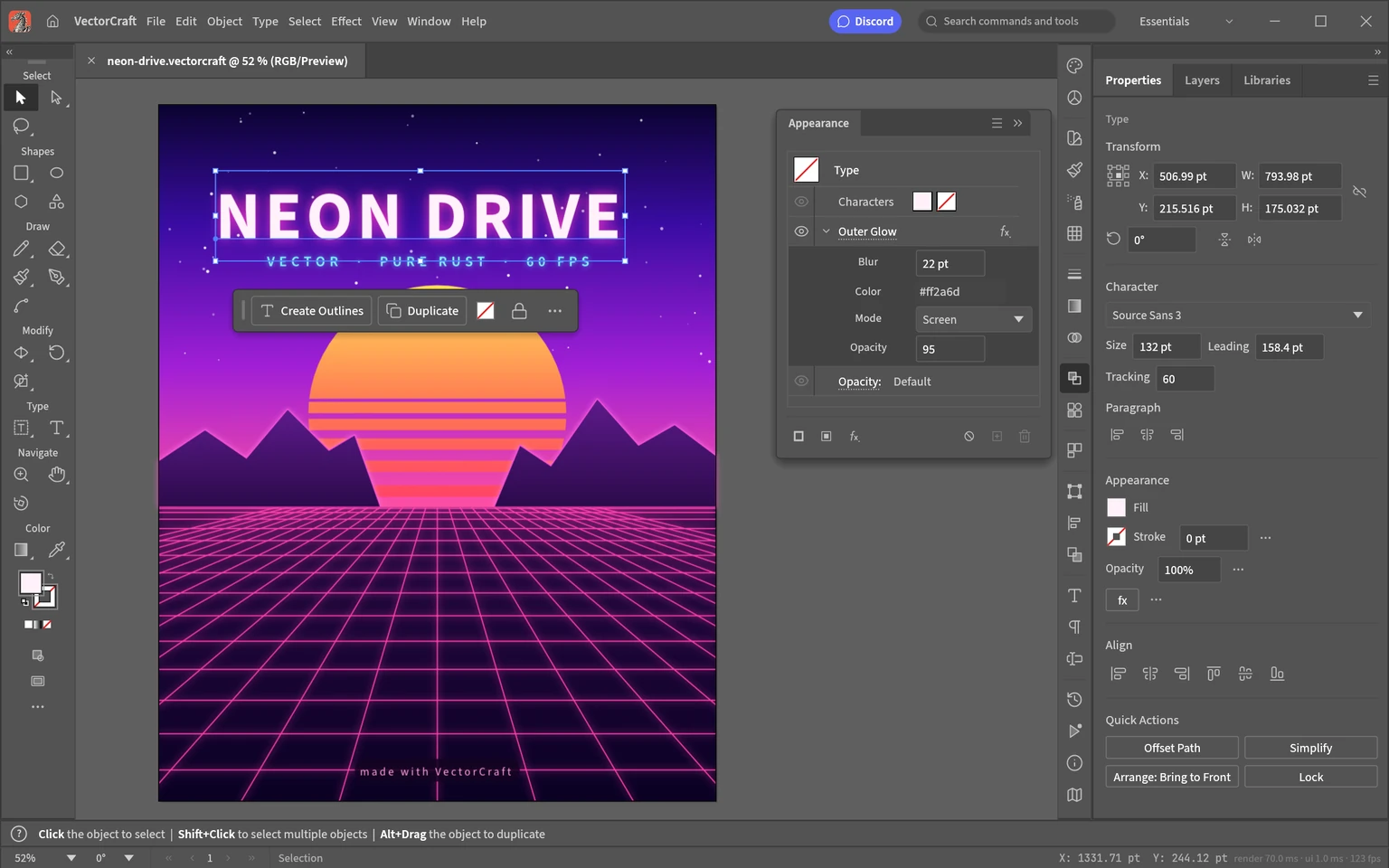
The image shows that a single message has separate appearance settings from the font. The benefit in terms of workflow is being able to come back and change the words or adjust the effect of the original element. For web work, start with a small SVG and examine it in the live browser, as fonts, effects, and post-export rendering are another step that must be evaluated separately from the editing screen.
FilmCraft: Combine Shots and Sounds into Video
FilmCraft is a video editing program that uses timeline The project page describes the trim, source/program monitor, color adjustment, and audio management tools. Ideal for exploring work that starts with multiple clips and then requires selecting segments, sequencing them, and exporting them as a single video. FilmCraft details
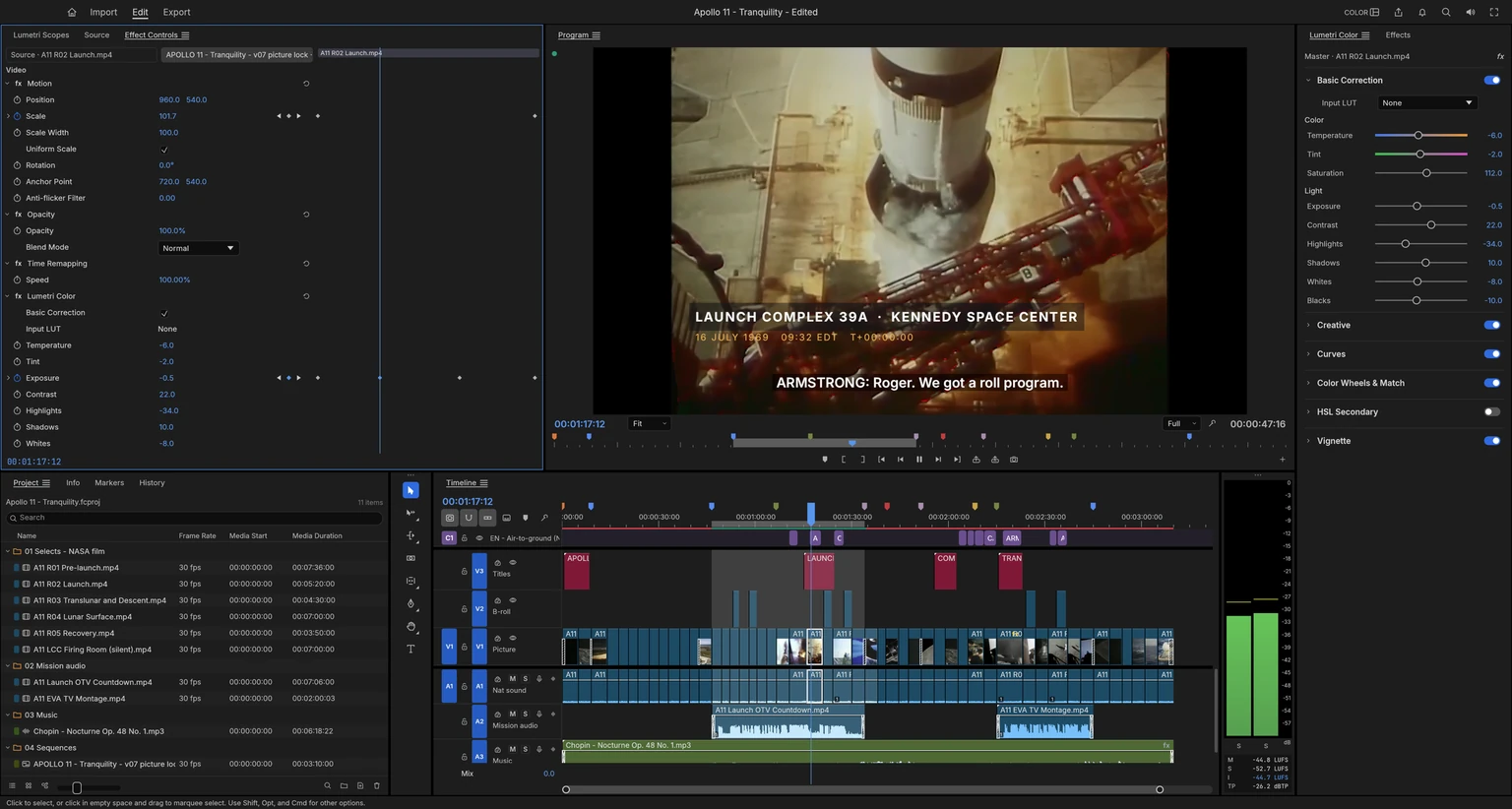
The timeline at the bottom separates video and audio tracks, while the viewer previews the result. Try clips from your own camera or phone: playing a file, editing smoothly, and exporting correctly are separate checks.
Thai content creators should check Thai subtitles, audio sync, and shot transitions in the actual exported file, not just the preview, especially when a project mixes frame rates or codecs
LightCraft: manage photographs from the library to tonal adjustments
LightCraft organizes photo libraries and edits RAW photos non-destructively, retaining originals and adjustment instructions. Its project page lists lighting, color, tone curves, masks, and albums, unlike PhotoCraft's layer-based compositing focus. LightCraft details
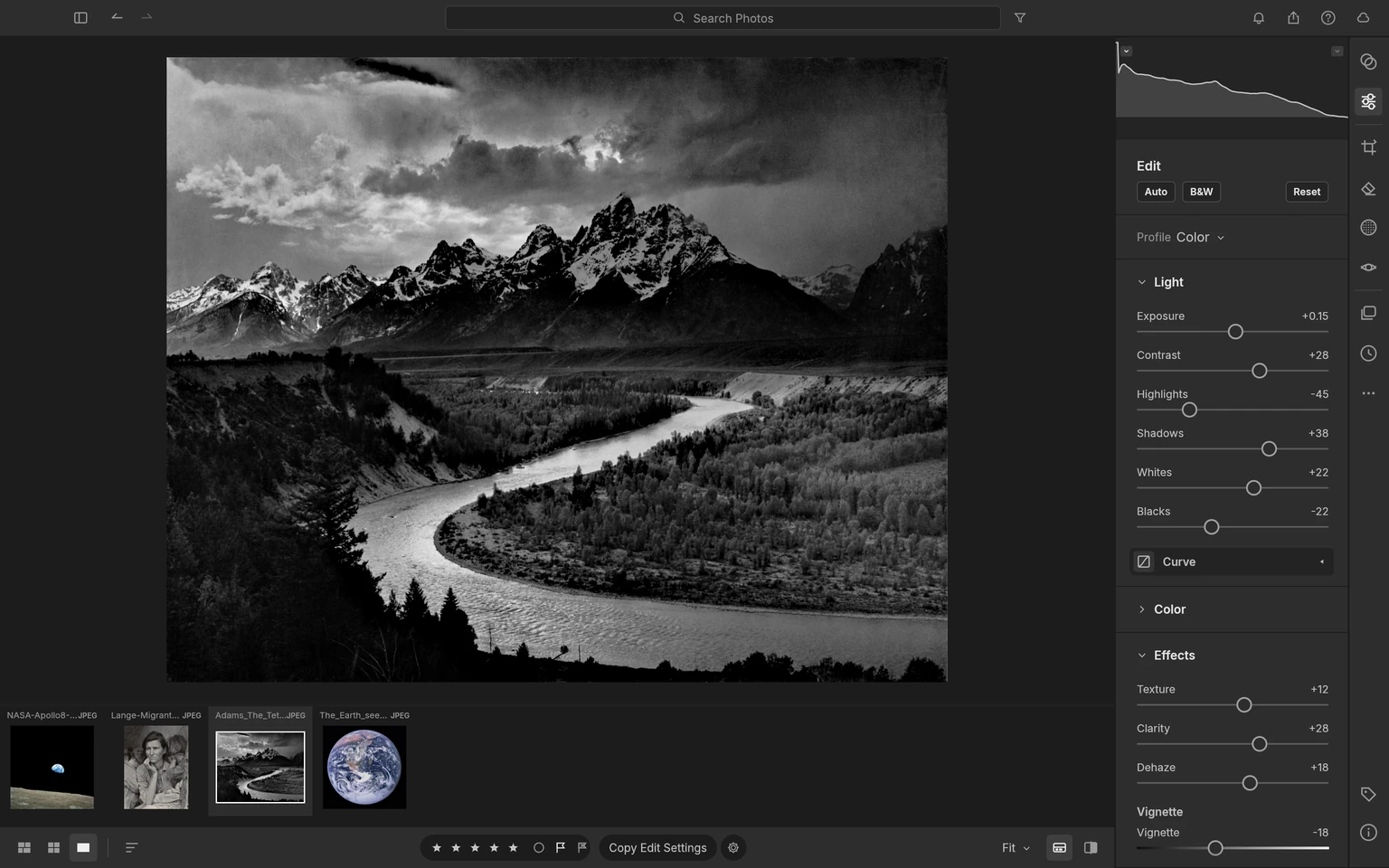
The lower filmstrip illustrates photo-library work: users navigate multiple images while maintaining continuity across a set, rather than only creating layers in a new piece. Before importing a real library, test RAW files from your camera model, initial colors, edit storage, and reopening the work the next day.
PdfCraft: Manage PDF documents in batches.
PdfCraft focuses on reading, arranging, merging, splitting, and managing PDFs, with text search and page ordering. It suits organizing existing documents more than designing a book from scratch. PdfCraft details
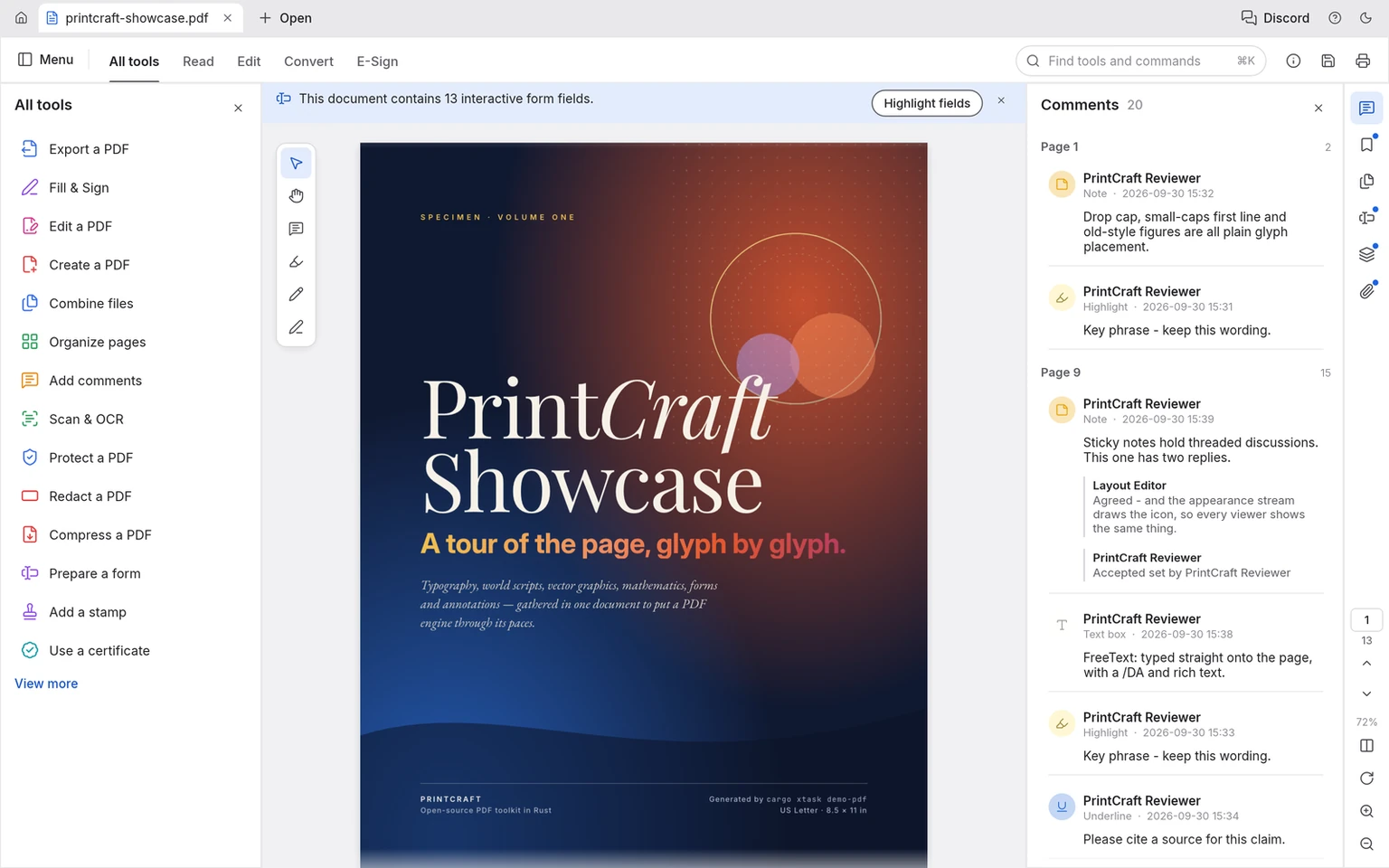
The image shows tools around the document, but cannot establish Thai text copying, reading order, or form behavior in your file. Try a PDF copy with similar fonts and structure, reorder pages, save, then reopen and inspect all affected pages.
For simple browser-based merging, splitting, or page arrangement, try KrobClick PDF tools as well. Choose desktop software based on ongoing document tasks and capabilities actually needed.
EffectCraft: animate elements within a composition
EffectCraft focuses on motion graphics and visual effects. Work starts with a composition with elements such as text, shapes, and layers, then changing the values of these things over time. FilmCraft focuses on arranging captured or prepared clips. EffectCraft details
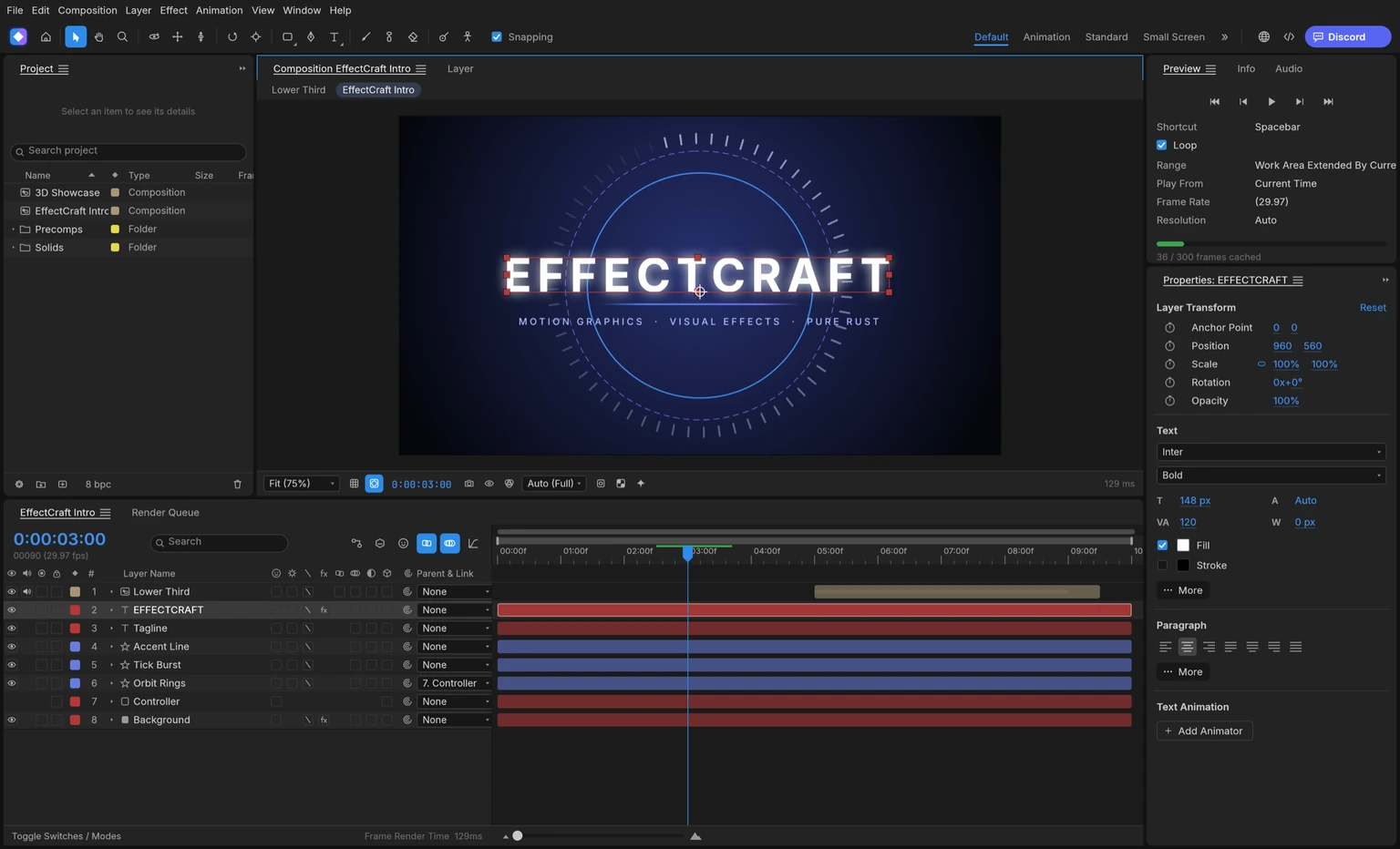
For a first task, KrobClick suggests briefly moving Thai text from one position to another, then checking the font, timing, and exported file. This evaluates the main workflow from creating a layer and setting keyframes to producing a file, before attempting complex scenes that make troubleshooting difficult.
DesignCraft: Set up connected text-flow frames
DesignCraft is a program for organizing printed pages. Suitable for tasks that require controlling text frames, columns, and consistency between multiple pages. An example project showing a magazine spread and text frame binding. Therefore, it is closer to the problem of a multi-page document than making a single image poster. DesignCraft details
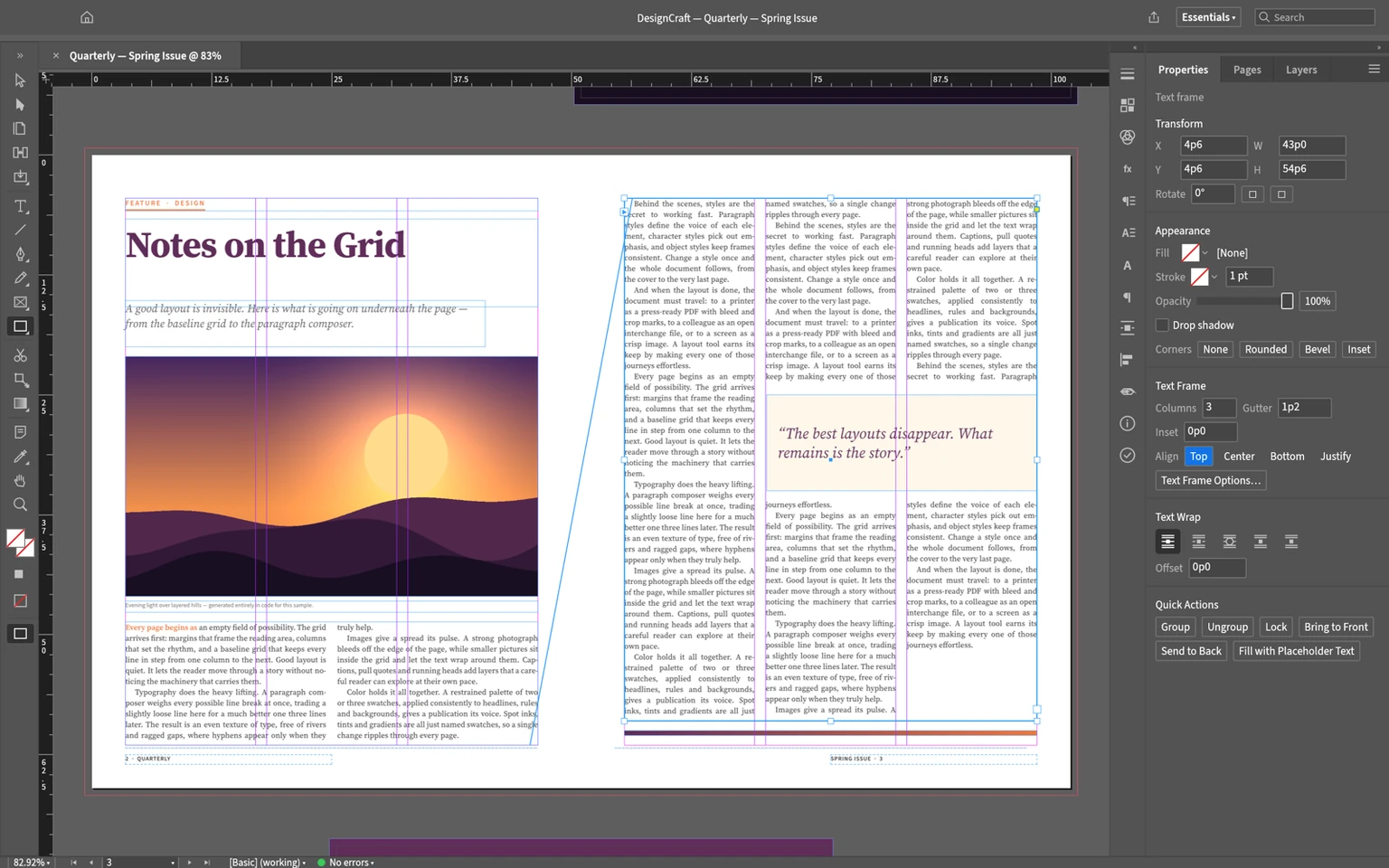
Connections between frames illustrate text flowing into the next frame. For Thai documents, test realistic long text, word breaks, vowels, tone marks, and font embedding in exported PDFs. Attractive English examples do not establish Thai layout quality.
Local processing and AI integration require separate checks
ArtCraft describes the core suite of programs as native apps and working with local files. With control channels via CLI, JSON control, or MCP for automation and AI agents to run, many also have a WebAssembly build for the browser. But you should look at the channels and status of each program separately. Crafting Apps principles
MCP lets agents call tools; it does not establish that the model runs locally. Check what the agent reads, where data is sent, and which files it can save or overwrite. Assess “local app” and “no data leaves the device” against the workflow's actual components.
As a hypothetical scope exercise, ask an agent to prepare three image sizes from file copies in a specified folder, save results in a new folder, and leave them for human review. This is a KrobClick workflow proposal, not confirmation that every app supports the same commands. For more on agent roles, see The path from chat to an AI team supporting work
How to try Crafting Apps on one real task
ArtCraft recommends its Launcher for installing and updating the suite, with separate installers on individual app pages. Start with links in Official overview page to choose a build matching your system and read release notes for the version being installed. Do not automatically treat website images as that version's feature list.
- Choose programs by task, such as PhotoCraft for layered files or PdfCraft for arranging document pages
- Create a copy without confidential information and keep the original separately
- Try the path to open the file, edit, save, close, open back, and export.
- Open results in the recipient's actual program, checking Thai fonts, colors, transparency, audio, and page order
- Record version and known issues. Then gradually increase the complexity of the work.
The suite brings together several kinds of open-source, locally running tools. Whether they can replace an existing application depends on your files and workflow. Start with a clearly scoped, reversible task, then move to more important projects after the sample work passes review.
Image credits and licenses: List of Crafting Apps and REA image sources
Original sources and images
- ArtCraft: Crafting Apps lineup and development status
- ArtCraft: PhotoCraft
- ArtCraft: VectorCraft
- ArtCraft: FilmCraft
- ArtCraft: LightCraft
- ArtCraft: PdfCraft
- ArtCraft: EffectCraft
- ArtCraft: DesignCraft
Lineup and selected app statuses reviewed October 29, 2026. Developer screenshots remain pinned to credited commits with licenses retained. This is documentation review, not KrobClick compatibility or performance testing. Installed releases may differ from main.