
Five Levels of AI Use: From Chat to Automated Workflows
Two people can get different results from the same AI: one asks questions, while another designs a workflow around it. This 5-level framework helps assess current use and plan further delegation while controlling quality, risk, and cost.
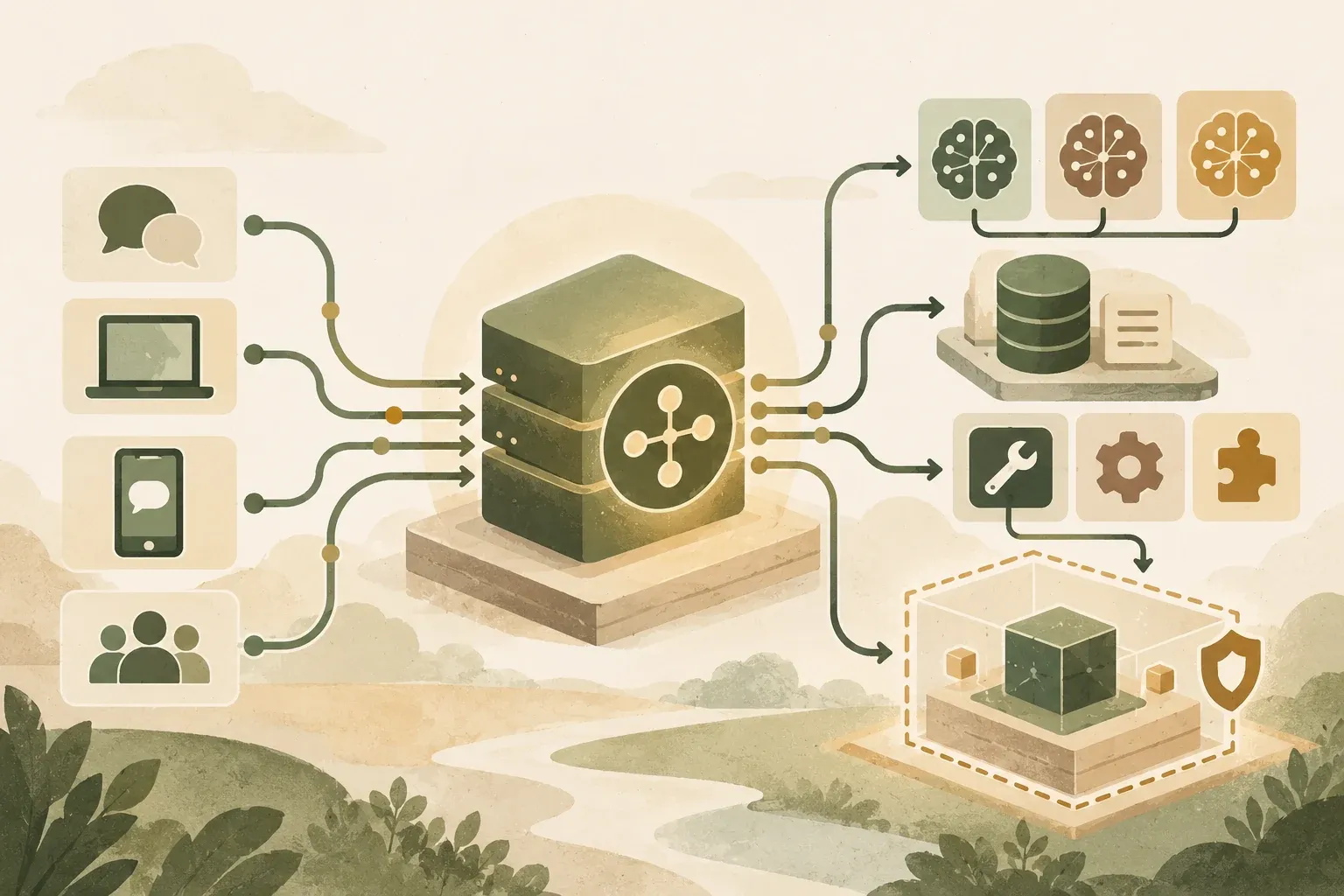
Choose a level based on the task and permissions you are ready to grant AI
Start with a level that meets criteria and is verifiable. Text summaries may need one chat turn, while reading or editing system data requires permissions and checkpoints. More agents do not inherently improve work.
These five levels are KrobClick's explanatory framework, not a NIST standard or a model intelligence score. A task may combine several levels. This article helps define delegation scope, while A guide to starting an AI team from repetitive tasks explains how to try handing off one workflow.
Level 1: AI is an assistant in thinking and answering questions.
Most people's starting point is to open a chat page and ask the AI to summarize a document, translate a language, draft an email, come up with a topic, or explain a complex subject. This method is easy to start and you will see immediate results. But the quality of the work depends on the instructions and information given each time.
AI at this level is not yet in charge of the process. The task ends when the system returns a response. The user must then review, copy, and carry on the results themselves. If you change the conversation or change tools, you may need to explain your original needs again.
Level 2: AI is a process partner.
At the next level, define a reusable process. For an article, this might mean identifying readers, outlining the piece, checking content gaps, drafting, and reviewing against clear criteria before a human edits it.
Instructions at this level form a short operating guide: goals, steps, output format, examples, and constraints. A clear process can improve consistency and make mistakes easier to identify.
- Goal: This work must help someone make a decision or do something.
- Quality criteria: Which conditions determine whether work passes or fails?
- Check points: Which steps require reference data or human approval?
Level 3: Give AI the context of the task
General AI has broad knowledge but does not automatically know your business, customers, or style. Level three adds context such as language guides, product information, audiences, approved examples, and organizational requirements.
If AI is a new employee, this context acts as onboarding and a work manual, reducing guesswork and bringing results closer to organizational standards. Adding context should not mean dumping all information into the system. Supply only necessary data and separate secrets from tasks that do not need them.
Level 4: AI takes action through tools.
Connecting AI to documents, email, calendars, databases, or task systems enables more than text replies: reading forms, categorizing requests, opening tasks, creating reports, or flagging anomalies.
This level is often called Agentic AI: systems plan, choose tools, and execute multistep goals. Tool connections make mistakes consequential. Separate actions permitted automatically, actions limited to drafts, and actions requiring human approval.
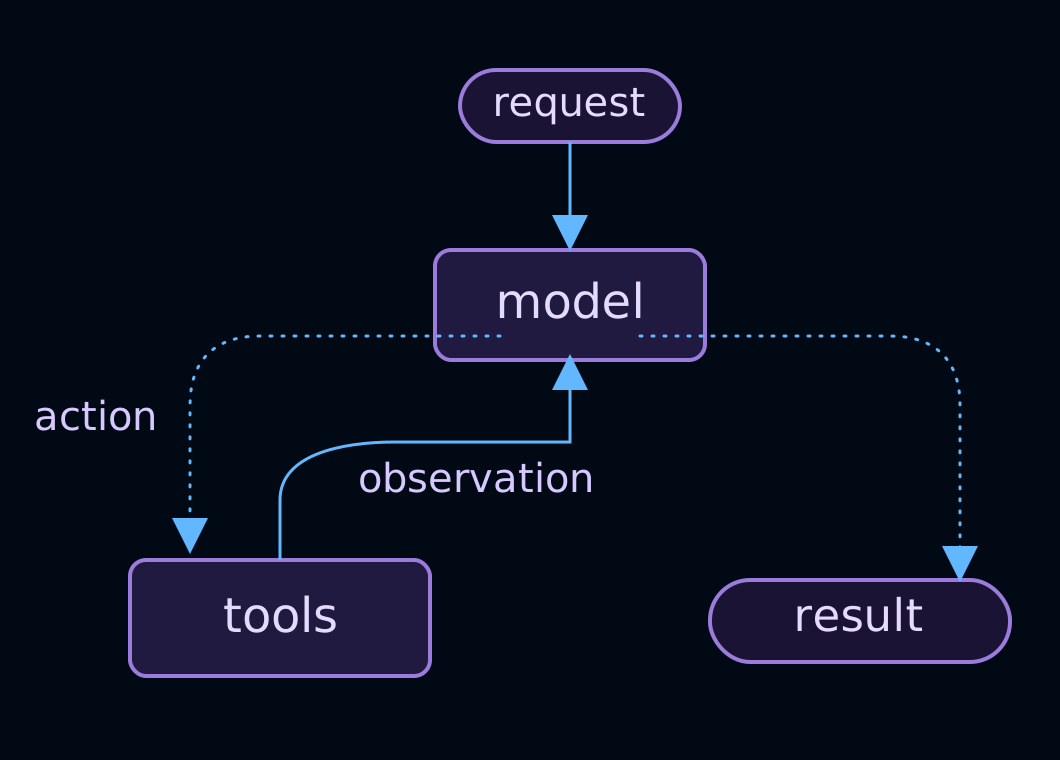
In LangChain agent documentation Models and tools loop until a result or stop condition. Adding tools requires checking both inputs and actual system changes. Approval requirements in instructions still need enforceable permissions.
Level 5: Multi-role AI works as a system.
Complex work can be divided among AI researchers, outliners, writers, fact-checkers, and editors, with a central coordinator assigning tasks and collecting results.
Assess the system by its output and define shared sources, responsibilities, stopping rules, revision limits, and a maximum budget. Adding agents without those limits can lead to duplicated work, propagated mistakes, or conversations that never produce usable results.
Compare the five levels on one hypothetical task
Suppose a shop has three messages: Customer A requests Friday delivery, B requests a larger quantity, and C requests a discount. The task is to make a review list for the owner. This example contains no real orders, prices, or authority to confirm anything with customers.
| level | Inputs and desired results | Permissions and items requiring human review |
|---|---|---|
| 1: Q&A | Paste three messages and ask for a list of customers and their requests | Review the returned text for all three requests and ensure no confirmations were added. |
| 2: Reuse process. | Define fields: Customer / Request / Missing information and use the same format next time. | Check that items with no information still show as unknown. Don't guess to fill in the slot. |
| 3: Add task context. | Attach a hypothetical rule allowing price changes only with shop-owner approval | Ensure discount requests are sent for human review and are not marked approved. |
| 4: Connect tools | Create draft tasks in the task system from authorized messages | Limit permission to drafting and inspecting destination records; prohibit autonomous price changes or messaging |
| 5: Divide roles | The creator organizes entries; the reviewer compares them with the same original messages | Check combined results after handoff, cap iteration rounds, and let humans resolve conflicting data |
Every level uses the same criteria: all three customers are included, requests match the source, and no approval is made on the shop owner's behalf. This is a hypothetical task design, not a measurement of any service's accuracy or cost. If level 2 handles the task sufficiently, this example gives no reason to add system-connection privileges.
Choose the level appropriate for the task; the highest is not always needed
A monthly task may need only level 1 or 2. Consider tools or multiple roles when work is frequent, has a clear process, and produces results you can verify.
A safer development approach is to choose one repetitive task, document its steps and quality criteria, test with nonsensitive data, and measure whether it saves time without increasing errors. Once the process is stable, gradually add context, permissions, and automation.
Define AI use by responsibility and permissions
A new model does not automatically move a workflow to another level. Define processes, sources, checkpoints, and authority clearly. Decide which tasks AI can perform, which outputs require review, and which decisions remain with people.
Before changing the workflow, record its inputs, deliverables, reviewer, and actions requiring approval. Try a small set of hypothetical data and record errors and revision rounds before increasing permissions or adding assistants.
Read more
- NIST: AI Risk Management Framework
- NIST: Generative AI Profile
- LangChain: Agents and the model-tool loop
These levels are a practical explanatory framework, not a global standard or intelligence ranking. Assess each service's risks and data policies before connecting data or authorizing actions.