
Convert Arabic to Thai numerals throughout text with KrobClick without changing amounts
A document requires Thai numerals, but its source mixes dates, times, item numbers, and money. Editing digit by digit risks omissions. This tool replaces numerals across the text, while users still decide which numbers should change.
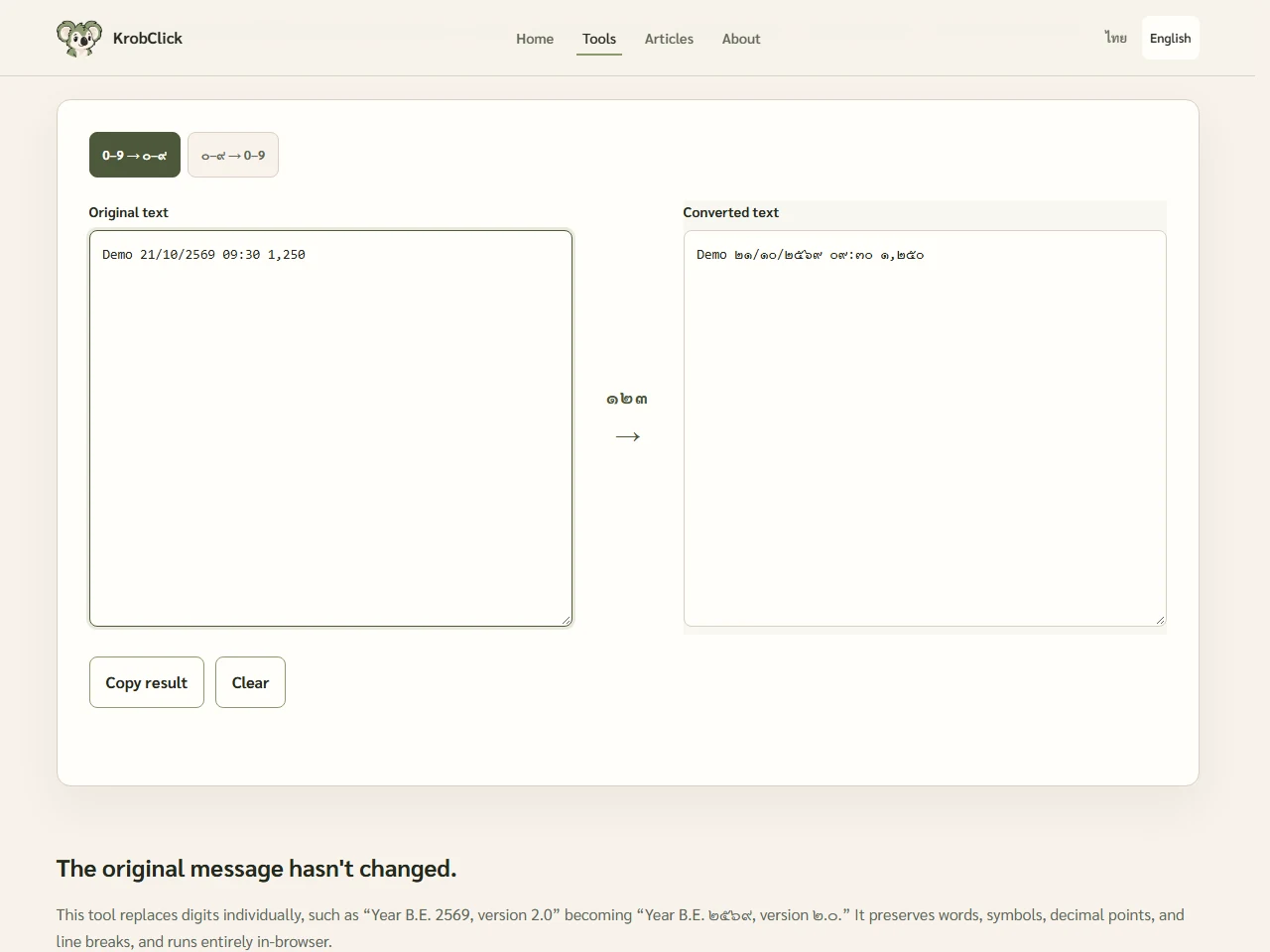
Changes the numeral characters, not their values or readings
Thai numeral converter replaces Arabic digits 0–9 with Thai digits, or vice versa, one character at a time. For example, 125.50 is ๑๒๕.๕๐ The decimal point remains in the same position. There is no recalculation or rounding of values.
To convert 125.50 to “one hundred twenty-five baht and fifty satang,” use Guide to writing monetary amounts in Thai words which is a separate task. Converting the year 2569 B.E. to 2026 C.E. requires Year converter Changing digits to ๒๕๖๙ does not convert the calendar era
Convert text and convert it back step by step
- Copy only the range you want to convert and keep the original separately.
- Paste into “Original text,” then select “0–9 → ๐–๙” to convert to Thai numerals.
- Compare “Converted text” with the original, checking numbers, punctuation, and lines
- For Arabic numerals, choose “Thai digits to 0-9.” The system reads the original input field; it does not replace the source with the previous result.
- Click Copy Result, paste into a document copy, and inspect the final layout
Compare dates, times, and decimal places
| Fictional original | Results when choosing Thai numbers | Check point |
|---|---|---|
| Date: 21/10/2569 B.E., time: 09:30 | Date: ๒๑/๑๐/๒๕๖๙ B.E., time: ๐๙:๓๐ | Does not reformat dates or remove zeros |
| Total 1,250.50 baht | Total ๑,๒๕๐.๕๐ baht | Comma and decimal point remain the same. |
| Item 2.1, version 3.0 | Item ๒.๑, version ๓.๐ | Dots separating sequence or version numbers are not interpreted as money |
| Code A0012 | Code A๐๐๑๒ | Leading zeros remain, but the file may not work with the original system |
The tool does not first parse text as numbers, so it preserves leading zeros and long digit strings without rounding their digits. It does not validate dates, codes, or amounts; even nonexistent dates can have their numerals replaced.
Thai numbers are different characters from the Arabic numbers in the table. Unicode Thai block The tool therefore replaces actual characters in the text. Changing the font alone does not produce the same result. Other systems may treat the strings differently even when they represent the same value.
Check codes, links, and receiving systems separately
Every matching digit in the pasted text is replaced. There are no automatic exceptions for URLs, emails, phone numbers, account numbers, or reference codes. Separate these from the text to convert when the destination requires the original Arabic digits.
Converting a paragraph mixing both numeral systems may not restore every original character when converted back, for example 1 และ ๒ Converting to Thai and then back to Arabic numerals gives 1 และ 2 Reverse conversion is therefore no substitute for keeping the original
Full-width digits, such as 123 or other numeral systems are outside the 0–9 and ๐–๙ pairs this tool replaces. Minus signs, percentages, and other text remain unchanged. Check other numeral systems separately even after Thai and Arabic numerals convert successfully.
Check the original with the results before submitting the document.
First test one line containing zeros, decimals, and separators. Expand only if correct. Plain-text pasting does not preserve tables, Word formatting, PDF layouts, or fix target-program fonts.
Before sending, check document numbers, dates, amounts, and the recipient’s numeral requirements. Not every document requires Thai digits. If the text will be calculated or imported as CSV, test that workflow too; visual readability does not guarantee the receiving software interprets it correctly.
The tool replaces digits in the browser without uploading the text, but it does not save your work. Copy the checked result before clearing or refreshing the page, and keep both the original and the version you intend to send for later comparison.
Sources
KrobClick tool and code reviewed October 21, 2026 using nonsensitive demo text and documents. Screenshots show local development. Scope and limits may change; inspect output files or text before use.