
Convert Text Case, Title Case, and camelCase Names with KrobClick
The same text may serve as a document heading, variable name, or URL slug. The wrong format may join words and remove meaningful punctuation as well as changing capitalization.

Choose the format for the destination
Text case converter provides seven text-conversion modes. They are useful for English case and naming changes. Thai has no uppercase/lowercase pairs, but word-joining modes can still alter spaces or punctuation around Thai text.
To change capitalization only, start with lowercase or uppercase. For program identifiers, check whether the destination requires camelCase, snake_case, or kebab-case. Naming validity matters beyond appearance.
Paste the original and compare the result
- Keep the original, then paste text into “Original text”
- Select the desired format button; results update without submitting
- Compare Output with the original, especially personal names, brands, abbreviations, and separators
- Select “Copy result” and paste into a working copy. If automatic copying fails, select the output text and copy manually.
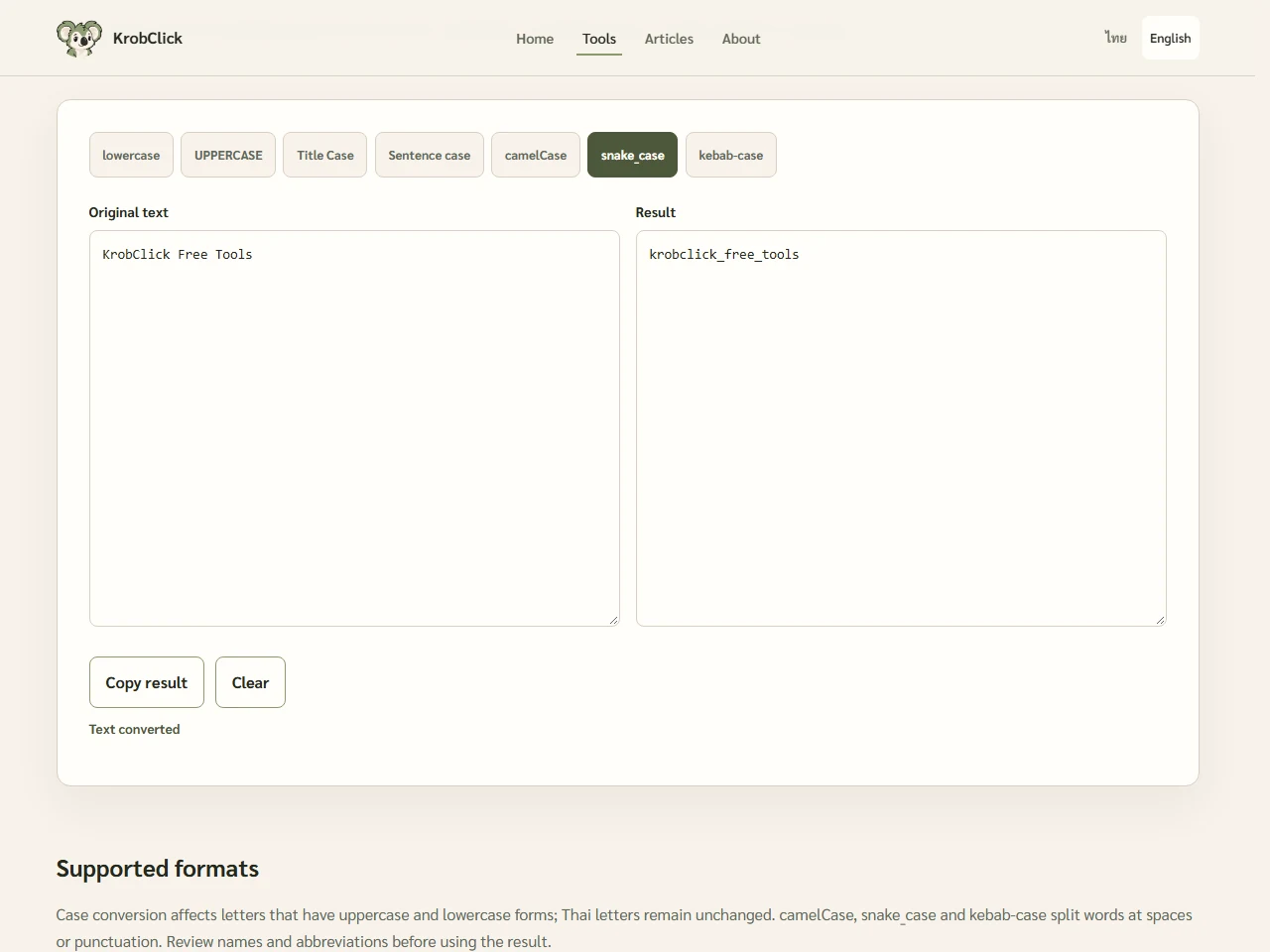
Try the same message in seven modes.
Use the text KrobClick Free Tools for comparison. This demonstration follows the reviewed tool version's rules; destination systems may have different naming rules.
| Mode | Sample results | Uses that should be considered |
|---|---|---|
| lowercase | krobclick free tools | Use lowercase letters while retaining the original spaces |
| UPPERCASE | KROBCLICK FREE TOOLS | Text the destination requires in uppercase |
| Title Case | Krobclick Free Tools | Capitalize word initials using simple rules |
| Sentence case | Krobclick free tools | Capitalize sentence starts after punctuation the system recognizes |
| camelCase | krobclickFreeTools | Names that include words without separators |
| snake_case | krobclick_free_tools | Names separated by underscores |
| kebab-case | krobclick-free-tools | Names separated by hyphens |
Notice that Title Case changes KrobClick to Krobclick, as does Sentence case. The system does not recognize brand styling or abbreviations such as API and VAT, so restore proper names after conversion when necessary.
How punctuation and abbreviations may change
Title Case, camelCase, snake_case, and kebab-case split words at non-alphanumeric characters and then rejoin them. For example, Hello, WORLD! becomes Hello World in Title Case: punctuation can be removed, and line breaks may become spaces or separators depending on the mode.
Do not paste emails, URLs, version numbers, passwords, or entire code files expecting all meaning to survive. Filename dots and @ may be removed. Isolate specific names before converting.
The tool does not validate names against a programming language’s rules. For example, 2026 Report camelCase to 2026Report may be an invalid variable name in some languages. It also does not automatically split an existing name such as freeTools into separate words.
Sentence case recognizes periods, exclamation marks, or question marks followed by whitespace. It does not distinguish abbreviations from sentence endings or check grammar. Case mapping can depend on locale and change text length, so inspect multilingual text carefully.
Check the converted name before using it.
Start with short text whose expected result you know. Compare punctuation, spaces, names, and the first character before actual use. To count characters after conversion, use Word and character counter For JSON files, also validate the structure with JSON Formatter because changing key capitalization may change how programs interpret the data
The tool processes text in the browser without uploading documents or requiring an account, but it does not save your work. Copy the checked result before clearing the page or refreshing it. Keep the original separately, because converting back may not restore lost capitalization or punctuation.
Sources
KrobClick tool and code reviewed October 21, 2026 using nonsensitive demo text and documents. Screenshots show local development. Scope and limits may change; inspect output files or text before use.