
What is Impeccable? Guiding AI web design with clear criteria
Asking AI to make a website prettier may produce a tidy result without improving usability. Impeccable adds design vocabulary and review workflows. This article separates design judgment from measurable checks, with a prototype example from this series.

Impeccable gives Agents design guidance and tools
Impeccable adds design commands and guidance to coding Agents, along with a rule-based detector. Users specify the target and type of work, such as typography, layout, critique, or hardening, instead of only asking for a better-looking result.
KrobClick's installed Skill is version 4.7.1. The reviewed upstream documentation is pinned separately. An upstream update does not automatically update the local copy, so check commands and hooks for the installed version.
Choose commands for the problem and outcome
critique assesses UX quality and priorities, while audit focuses on verifiable qualities such as accessibility and responsiveness. typeset, layout, and clarify specify kinds of edits; harden addresses long content, errors, and edge cases.
A narrow scope is easier to assess. “Check and fix the add-item form at 320px while retaining brand colors and behavior” provides clearer criteria than redesigning a whole page without specifying what users need to accomplish.
What to tell Impeccable before it revises a page
The project uses PRODUCT.md for product context and DESIGN.md for its documented visual system. Existing interfaces must also be inspected. KrobClick requires Thai language support, brand colors, local processing, and accessibility.
An article-reading interface should emphasize hierarchy, spacing, and readability. A launch page may emphasize imagery and pacing. Effects or a new component system are not required merely to make a change look substantial.
KrobClick's reading-list prototype checks
This work made bounded changes to the reading-list prototype from the Replica article. We checked the title field’s label, keyboard operation of buttons, visible focus, long text, and warnings when saving fails. Browser checks passed at widths of 320, 393, and 1440 pixels, with no page overflow or axe violations in the states tested.
The Impeccable detector warned about a cream background, a commonly used pattern. We retained it because KrobClick's brand deliberately specifies that palette and recorded the reason. Detector rules inform judgment rather than automatically requiring every flagged element to change.
The developer's comparison is a separate example
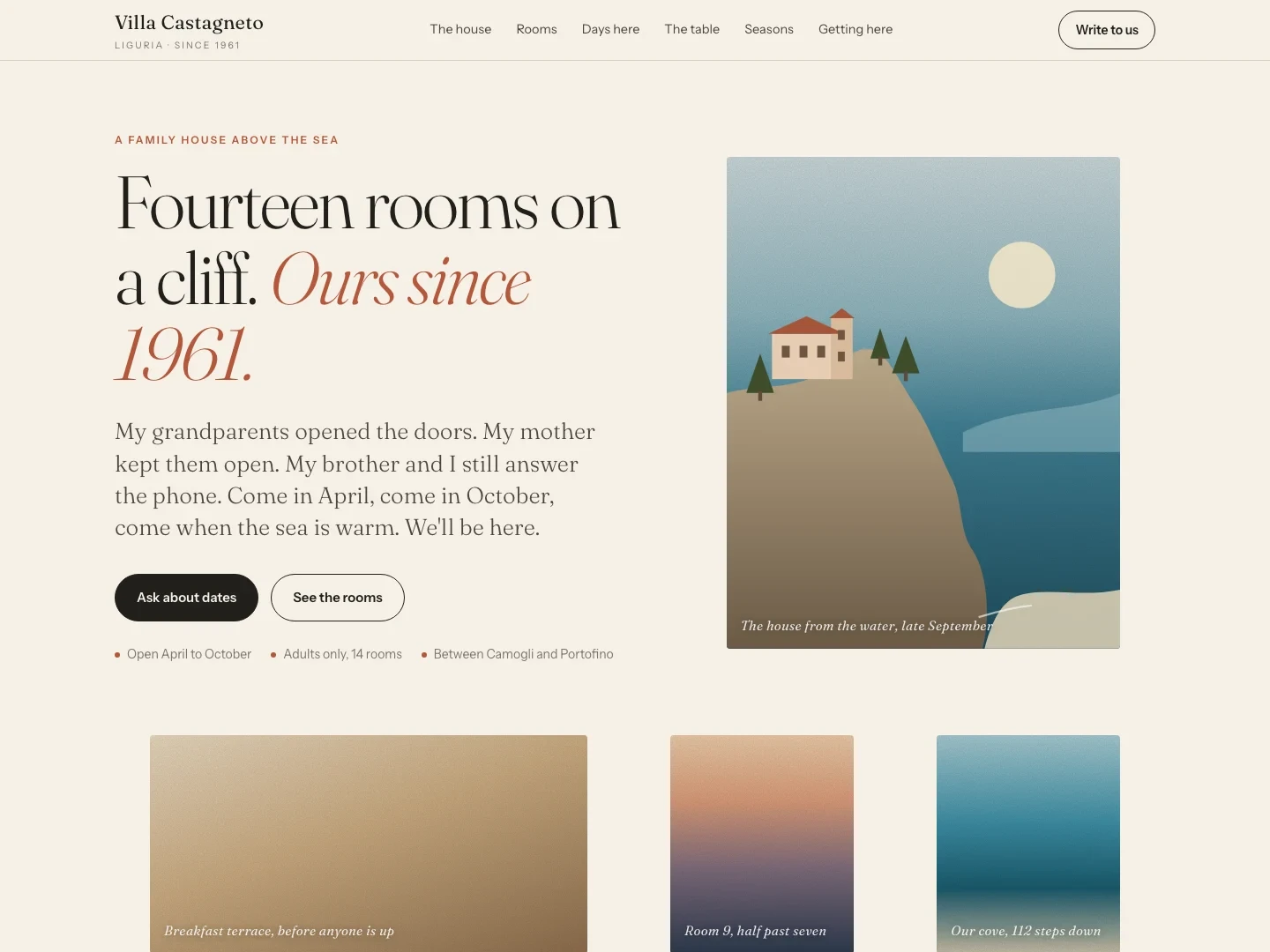
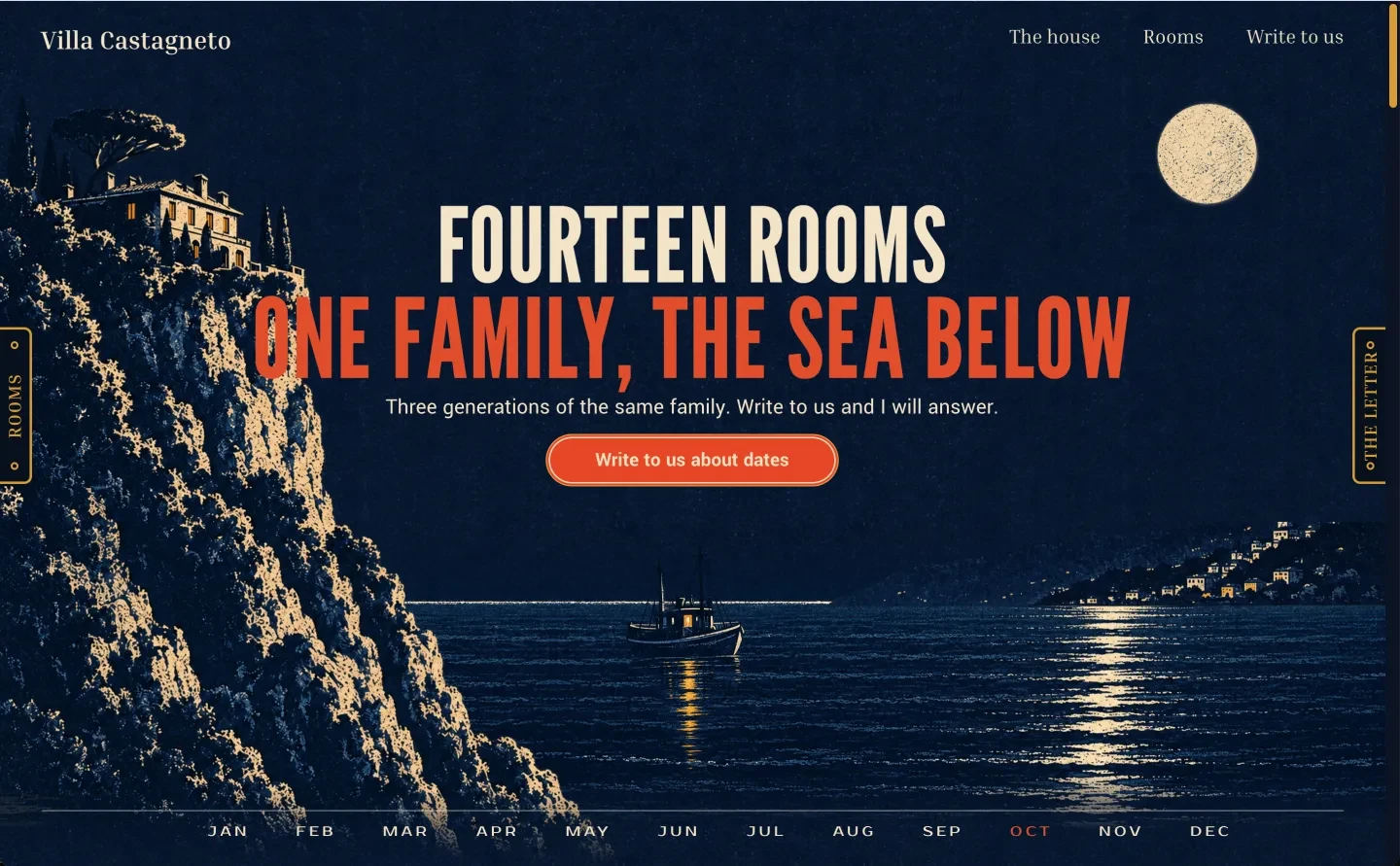
The README compares guesthouse pages before and after Impeccable, which the developer says used the same model and brief. The images show differences in composition and visual direction, but do not establish faster task completion or better accessibility.
This is a developer example, separate from the prototype KrobClick checked. We conducted no controlled before-and-after study, report no quantified performance improvement, and do not guarantee identical results from every model.
Check the rendered interface and behavior after editing
Before accepting the work, complete the original user flow and check mobile layouts, long text, buttons, error states, and focus. Review the reasons for changes. If adding a hook, understand which commands it runs and when: automated checks inherit the installing application's permissions.
Start with one problematic area, retain images and results, and expand when evidence supports the intended benefit. For distinguishing appearance from working behavior, read How to verify an Agent's work
Sources and evidence
Reviewed installed Skill version 4.7.1 and pbakaus/impeccable commit 02523aec3e4c4580102d996d1b6a71fbe062e03f on October 30, 2026. We applied its guidance and detector to a real prototype. Guesthouse images are developer examples; we conducted no controlled before-and-after study.