
Gemini Files API vs. File Search: Retention and Deletion
Do you assume a PDF sent to Gemini disappears completely within two days? The answer depends on whether you attach it with the Files API or build a searchable document collection with File Search. This article separates the two systems before you submit real data.
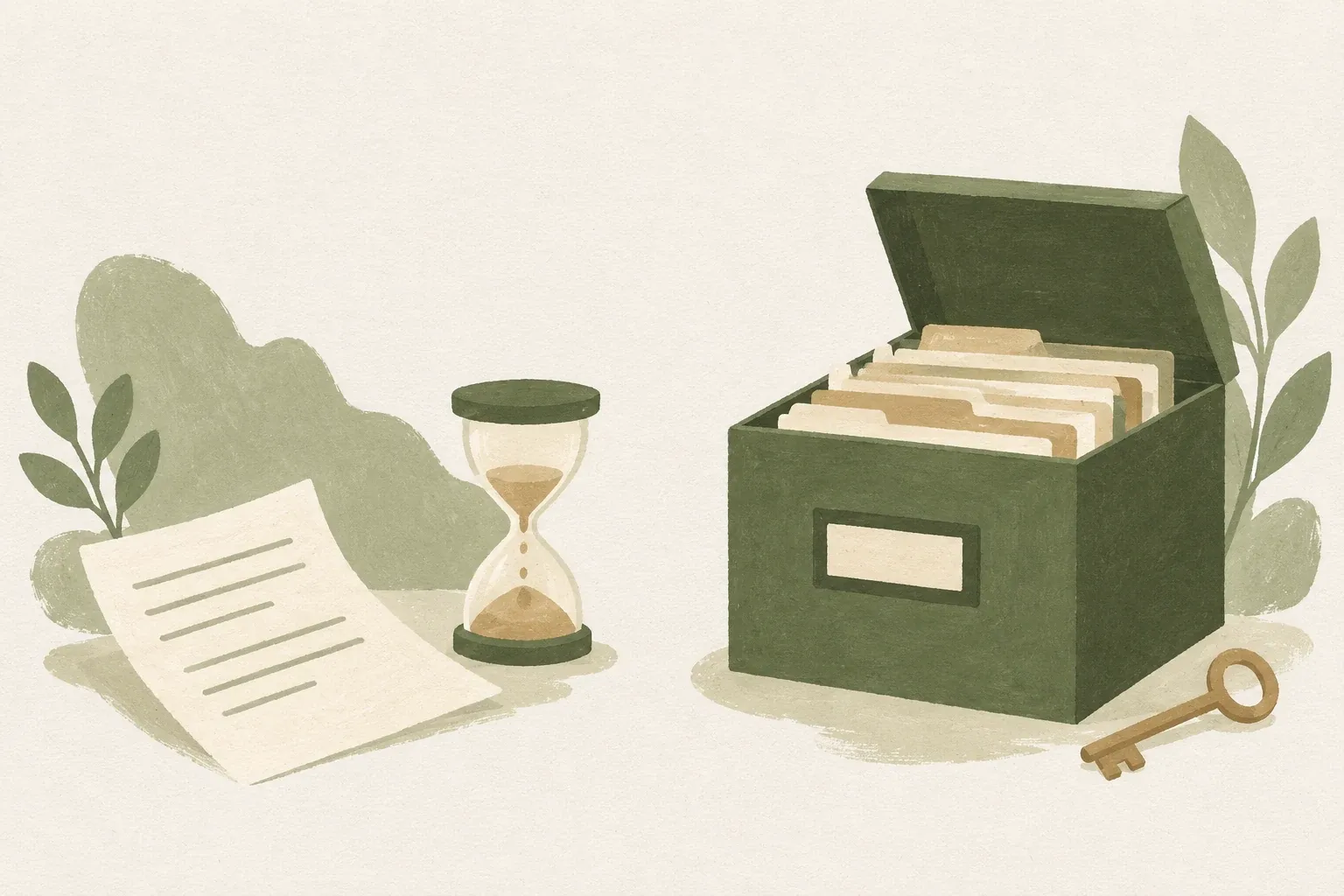
Attaching a file for one question and building a search collection use data differently
Files API uploads files for use in Gemini requests, such as a PDF to read and answer questions about, while File Search indexes document content so relevant sections can be retrieved for later questions. Check each system’s retention period separately before choosing one.
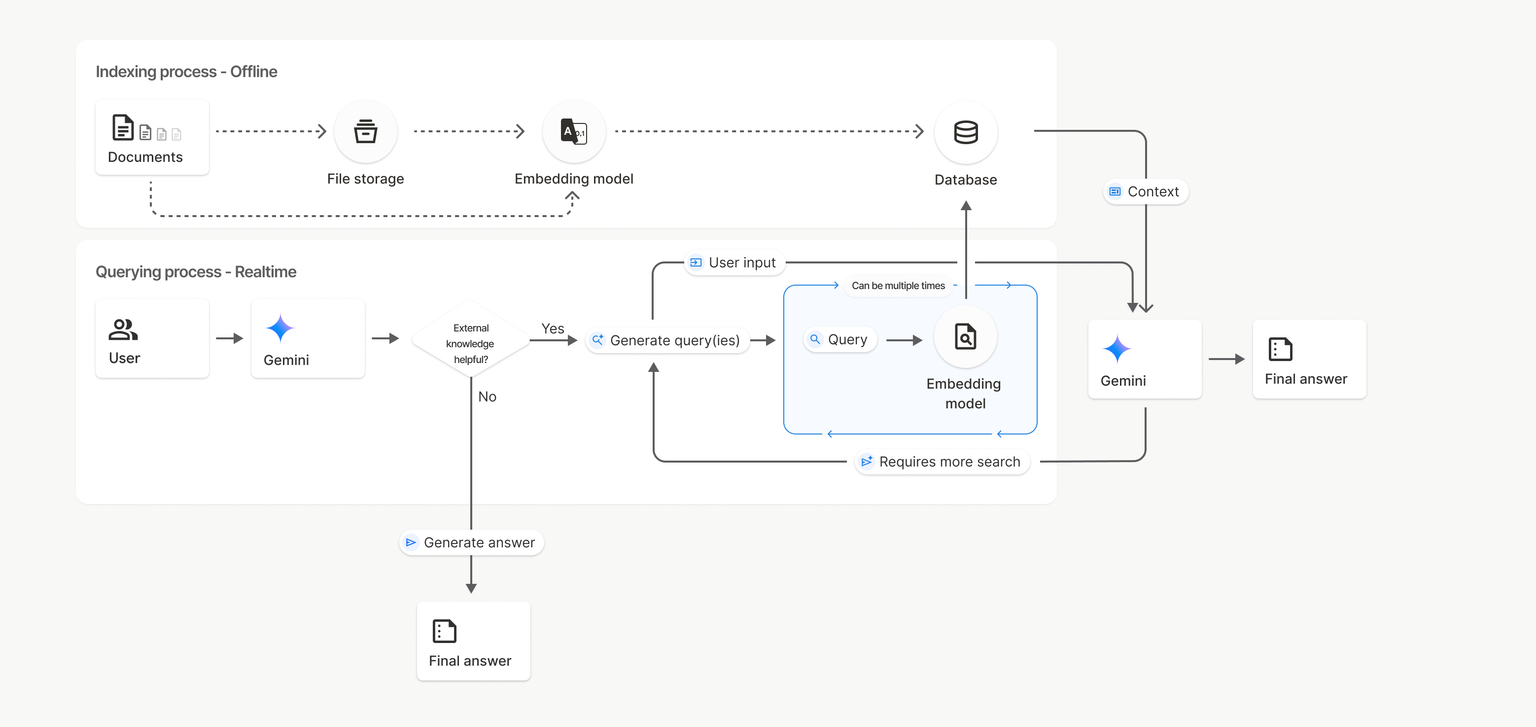
The Gemini Files API documentation says uploaded files are automatically deleted after 48 hours and can be deleted earlier, while File Search documentation explains that indexed content remains in the File Search store until manually deleted or another documented condition applies, even after the temporary File object expires
| Question | Files API | File Search |
|---|---|---|
| What is it used for? | Send files for the model to use with a request | Build a document retrieval source |
| What is stored | Uploaded files and their metadata | Segmented and indexed/embedding data in store |
| Documented retention | Uploaded files: 48 hours | Indexes do not have the same TTL. Deletion of store or imported data must be handled. |
| Things to check | Must expired files be uploaded again? | Is there an old store that is no longer used? |
Example: Which approach suits 20 product manuals?
Hypothetical example: Suppose a team has 20 Thai product manuals. Occasional warranty questions from one file may suit Files API attachments. Repeated questions across manuals with relevant-passage selection warrant studying File Search.
Using File Search adds indexing work and data management from import through deletion. Answers can still be wrong if retrieval finds text for a different product version, date, or set of conditions. Specify the manual’s version and date in the question, then check each answer against the source text.
Google documents Files API file and project-storage limits, which can change. Also check supported types, request sizes, and selected models before development. A file-size limit does not prove the model can accurately read all contents.
File deletion does not prove deletion of all copies
Distinguish the lifetimes of Uploaded files from Indexed data and abuse-monitoring records Page Abuse monitoring reviewed October 18, 2026, says Google retains prompts, context, and responses for that purpose for 55 days. This is not a File Search store TTL or a guarantee every copy disappears with the file after 48 hours. Recheck actual service and account terms.
Distinguish at least three locations: (1) originals in Files API, (2) indexes and imported content in File Search stores, and (3) app-held copies such as databases, logs, and backups. Deleting the first does not establish deletion of the others.
This explains data lifecycles in this architecture and is not a legal conclusion about every service’s retention. Read data-improvement and logging policies under the actual account and service terms. Do not upload customer data, health records, or confidential documents merely because files are said to expire in 48 hours.
Checklist before uploading actual documents
- Define the purpose first: a one-off file question or a reusable search library?
- Separate public and internal documents and obtain authorized permission before external transmission
- Experiment with a fictitious document that contains no personally identifiable information. Then check the quality of searches and answers.
- Record the project, its File Search stores, who has access, and when the data will be deleted.
- Review current API documentation for how to delete files and stores, as well as copies stored by your app itself.
Choose tools based on the required data lifecycle, not just upload convenience
If you want Gemini to read the files accompanying your request, start by examining the Files API. If you want to search the same document repeatedly in a systematic way, study File Search further. In both cases, there should be a plan for deleting data and setting access rights from the beginning. This is because automatic file deletion may not cover indexed data or other copies.
Sources used for verification
- Google AI for Developers: Files API
- Google AI for Developers: File Search
- Google AI for Developers: Abuse monitoring
Google documentation reviewed October 18, 2026, Thailand time. This article interprets documentation without uploading or deleting actual files. Retention varies by service and account; check current documentation before sensitive use.